PRISM: Live Streaming App Reviews

PRISM Reviews

Published by on 2026-05-20

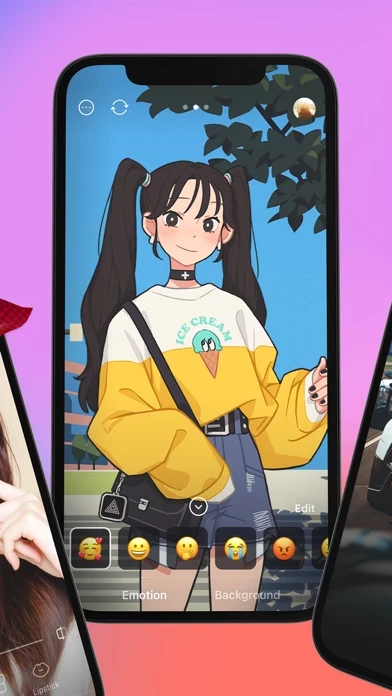
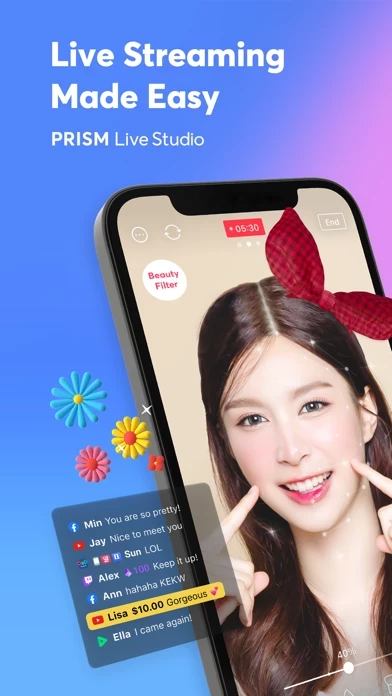
🏷️ About: PRISM Live Studio helps you shoot and edit colorful live broadcasts, videos, and photos using various effects. Add fun stickers, videos, images, and music to create your own special video.


Overall Customer Experience 😎


🤬 Negative experience
59.3%

😎 Positive experience
40.7%

🫥 Neutral
0.0%

~ from Justuseapp.com NLP analysis of 5,521 combined software reviews.

Is PRISM Safe?
PRISM: Live Streaming App is very safe to use.
40.7/100

  Safety Analysis »»

Is PRISM Legit?
PRISM: Live Streaming App looks authentic and legitimate.
40.7/100


Read 26 Customer Service Reviews 😠💢

4.6 out of 5
What’s going on

I used PRISM one time and after that it hasn’t worked since. I streamed about three hours one day. Came back the next day to stream and PRISM closes out of my stream. I’m not blocked or banned on any of my platforms. I’m not violating any rules or policies. My livestream doesn’t post anywhere now, and after about 10 minutes PRISM stops my livestream.

Great! But Not Great!

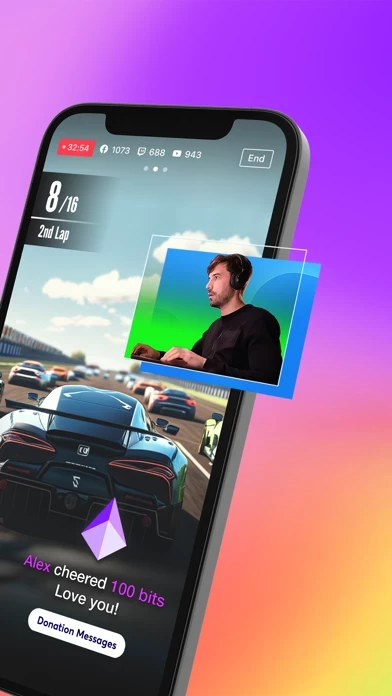
this app does a lot of things better than THE Streamlabs app in terms of how it manages the auto bitrate to keep a connection stable when doing Mobile IRL, but is still missing features.

- It would be nice to see my bitrate and signal strength when livestreaming.

- When I use a Custom RTMP, it will only default to 720p 30fps and thinks I can’t do other options, even though I know I can. This is probably a bug?

- I would like to be able to see the Twitch chat even if I’m using a Custom RTMP.

- The livestream ends when I leave PRISM . There should be an option to keep the livestream running in the background until I press the END button.

Additionally, I would like the ability to use both the front and back camera at the same time, like FilMic Pro’s DoubleTake app and have the ability to use a second phone as a second camera like Teradek’s Airmix app. Maybe even wirelessly connecting to a GoPro?

Screen broadcasting?

Wanted this for the screen broadcasting but could not get this to work. The button for the iOS version is completely missing on my iPhone 8+. Tried to do a work around with pressing the iOS screen recording button then broadcast to PRISM and about 30seconds in it gives me a notification that an external app is trying to stream then cuts the broadcast off.

I really wanted it to be good, actually.

Alright, so when you first start out PRISM , and go to straming on your gaming device, and when you press live, exclusively it dosen’t have a chat feature, I am on a apple tablet and I fear this will worsen the experince for limited options, I really need this option and rely on it, so I hope this can get resolved in the future, other then that PRISM is great! I highly recommend this, anyways bye!

I want to be able to make my own

I went into PRISM so I could create my own png tuber, But when I went to where all the tutorials said to go to create my own, the button was not there. I’m not able to change or customize any of them, and I’m not sure if this is just a glitch, or this is the actual app.

Widgets

My issue is the widgets. Steamelements it plays the widget once, then it doesn’t play again unless you turn it off and on again. Basically no follower alerts.

Streamlabs widgets have no sounds?? But always work and show up.

Is there a way where stream elements or streamlabs browser sources can stay active or play sounds with stream labs? Thanks

Some problems!

Hi! I’m having some problems with the png tuber and screen recording
For the screen recording, it’s saying my mic is off, even tho it’s on, and I can’t edit it. I also don’t have a lay out. And the pngtuber works fine! But it won’t let me put it on screen recording. Mind you everything is completely ok when I use it on my phone, but I am trying to use it on my iPad and all of these things aren’t working. Please help me out if you can, thank you! :3

Would be cool

I am not able to see alerts for stream elements tts. I can hear it but the actual alert never shows up. Botrix alerts do not show up at all. No sound either. Kicktools that I use (chat, hype train) seem to show up. I had hopes. It’s a nice app just wished I could get the alerts to show. Kind of a loss without those being visible. And the memory limit issue what’s up with that. I ended the stream during testing but something tells me that was gonna end the stream?

It’s fine

I’m not a big fan of this it doesn’t have all the effects I was hoping for... my friend uses PRISM he loves it, personally I’m not a big fan of it. But one thing I love about it is it doesn’t have a water mark! This is a good streaming app. I will use it to stream eventually! But I’m a fortnite montage editor so it didn’t really work for me. But I’m still going to give it 4 stars ⭐️!

It’s ok

There wasn’t any voice over if they added it it would go instantly to five stars or if it is there hidden I wish it would go under music or volume but I had to use other editing apps for voice over and I’m giving it an extra star for no watermark because that is another big thing I like

Bugs with Latest Update!

I have been using this app to livestream for the past few years. I have never had a problem with it until the most recent update. Now it crashes all the time. I’m lucky if I can stream for an hour before it freezes up. The whole app freezes as well as my stream & I am not even able to use the “end” button to end the stream! Please fix this promptly or myself & many others will be forced to stop using the this app app for live-streaming. This is PRISM I have relied on for years so it’s really sad to see it malfunctioning to this degree & for this long. It’s been a week now! Please fix it!!!

Pretty Great app one tiny issue though.

PRISM works great for mobile gaming and live streaming my mobile gaming. The only down side is that there seems to be a lag when live streaming gameplay footage on mobile devices even with adaptive bitrate on . If the lag issue was fixed I’d give it 5 stars overall love PRISM keep up the good work!

Review as of 12 hours of study.

So far it’s very complicated to maneuver around PRISM . Certain aspect like the connect should be improved I feel it lack on controls as by means of not being able to do what desktop can do if y’all integrate more desktop type infrastructure to the mobile app in terms of stream control. Also I would like to add I suggest that it might be a good interest for y'all to reach out to windows/Microsoft for a partnership to help make streaming smoother on the console side.

I want to give it 5 stars, but the latest update has some bugs…

I use this app to record my dj sets on my iPad through streaming my screen and saving the stream recording to my photos. It used to be the most reliable way for me to record my iPad sets, but after updating, I lost the ability to save my streams :(

PRISM has been a really easy go-to to stream my DJing to twitch and recording them with no hassle, but the latest update has made it so that I can’t record my sets. I hope they fix it soon.

Almost perfect… I wish I could…

I use this for living streaming sports but its very limiting in terms of animations text limits etc. I also wished I could chose different camera inputs like DSLR through the Mobile app. I still think this is the best IOS OBS free alternative. I love PRISM except for the list above. Good job devs!

I Wish I could…

I would give PRISM 5 stars but there are a few features that I wish were easier. I wish I could switch between the live video and the media, like auto swap the size back and forth. Also, if they could make the media playback like rewind and fast forward easily accessible that would be great too. I feel I have less control over it.

Nearly perfect

I have been streaming from my phone from the twitch app for months and this is a huge upgrade. But the downfall is it doesn’t seem to let me use my AirPod pros as a mic and as a woodworker streamer the noise cancellation my AirPods provide is essential and I can’t be tied to a plug in mic

𝙋𝙍𝙄𝙎𝙈 𝙇𝙄𝙑𝙀 Is An 𝙀𝙓𝘾𝙀𝙇𝙇𝙀𝙉𝙏 𝘼𝙋𝙋!

I was looking to 𝙇𝙞𝙫𝙚𝙨𝙩𝙧𝙚𝙖𝙢, from my YT Channel. Since I had done some Livestreaming, before all the Rules changed. It’s difficult when you’ve been Livestreaming every few weeks, & making Videos. You’re 𝗟𝗢𝗩𝗜𝗡𝗚 💕the 𝗟𝗜𝗩𝗘𝗦𝗧𝗥𝗘𝗔𝗠 interaction, where you can 𝙧𝙚𝙨𝙥𝙤𝙣𝙙 immediately back to your Subscriber(s), who are the People who enjoy your Content. I’m still short, a few hundred Subscribers, from the required 1000 Subscribers. I still don’t have enough, Watch time hours! Although I’m doing the Best, that I can do! It’s difficult when you’re also dealing with Medical Situations. I’ve found that there are many of us, dealing with different Medical Challenges. I’m Grateful to 𝙋𝙍𝙄𝙎𝙈 𝙇𝙄𝙑𝙀, for providing this EXCELLENT APP! It’s extremely important that each & everyone of us, be able to have a Trustworthy App available to use, so that we are able to ‘Socialize’ with other ‘People’!
I was wondering if your Developers, could look into, us being able to bring up at least one ☝🏻Guest, on our Panel? I’d give you 5 Stars ⭐️
𝙏𝙝𝙖𝙣𝙠 𝙮𝙤𝙪 𝙖𝙜𝙖𝙞𝙣 𝙋𝙍𝙄𝙎𝙈 𝙇𝙄𝙑𝙀 ✌🏻

Great App! Amazing!!!

I cannot say enough good things about PRISM. It worked for immediately through Facebook Live. PRISM is very intuitive and it has all the features that one would need for a decent stream.
I love it and highly recommend.
I think this is the best app of its kind.

Awesome!

PRISM is just great! There is nothing wrong with it but I plead with something you guys can add. I was trying to add music to the end of my video and I noticed that you can’t put music anywhere you want in the video! Other than that PRISM is pitch perfect! ❤️

I LOVE IT

Of course with anything and everything research and development is needed but this is a great alternate to OBS and it’s easy to use. Thank you very much let’s get it. I would love to help in anyway that I could to get this product off the ground more. Thanks again.

Awesome app

Love PRISM . I’m a partnered Twitch streamer just starting out in IRL and this has been the most reliable and customizable app to use.

The only feature I wish I was about to change was turning off the viewer count when going live. Devs, please make this happen!

I do like it

I like this app live but the only thing I don’t like about it is the water mark. I don’t like that when you save it to your camera roll it has a water mark and then you have to crop it out and it ruins your whole video. However I like this app Live Studio it just needs to fix a few things.

The pngtuber problem

I Really wanted to make a pngtuber but it says that it cannot import my image and it won’t give me another option, PRISM is really cool and I hope this could be fixed, also I tried to go back to the pngtuber thing and it kept showing my face and I couldn’t get rid of it.

hey guys

you’re my favorite app in the world but since this new update my streams keep ending about 20-40 minutes in -if i have any overlays. i noticed when i didn’t my stream went longer not sure of the correlation. i don’t know what changed but it has to fix soon because if it doesn’t i’ll have to stop using your app and i REALLY do t want to because it’s incredible. please find this glitch!

The app is good but it needs another function with the vtuber tab

PRISM is great with all the features and functionality that it offers but one problem that I don’t like is that you’re not able to stream your vtuber with streaming your game on mobile if you can fix this problem then PRISM will be even better with better results and more users that will like PRISM!


Is PRISM Safe? 🙏

PRISM: Live Streaming App is very safe to use. JustUseApp Safety Score for PRISM is 40.7/100.
This assessment is based on our NLP analysis of 5,521 user reviews. Combined with the app store average rating of 4.6/5.

Safety Analysis

74% of users say app is safe 👍
74%

15.3% of users have some concerns ⚠️
15.3%

10.7% of users say app is risky 🚨
10.7%


Is PRISM Legit? 💯

PRISM: Live Streaming App looks authentic and legitimate. Our NLP models processed user feedback to estimate legitimacy. JustUseApp Legitimacy Score for PRISM is 40.7/100 .
This conclusion is based on analysis of 5,521 user reviews.

🔏 Privacy & Data Safety

PRISM collected the following data from you:

  • Data Used to Track You:
    • Usage Data
  • Data Linked to You:
    • Contact Info
    • User Content
    • Identifiers
    • Usage Data
    • Diagnostics
  • Data Not Linked to You:
    • Diagnostics


How was your experience with PRISM: Live Streaming App? Post a Review


Features

PRISM Live Studio helps you shoot and edit colorful live broadcasts, videos, and photos using various effects.

Use various effects, filters, speed options, and background music to create unique videos with ease.

Use the Chroma Key feature, a first among mobile live stream apps, to shoot more creative videos.

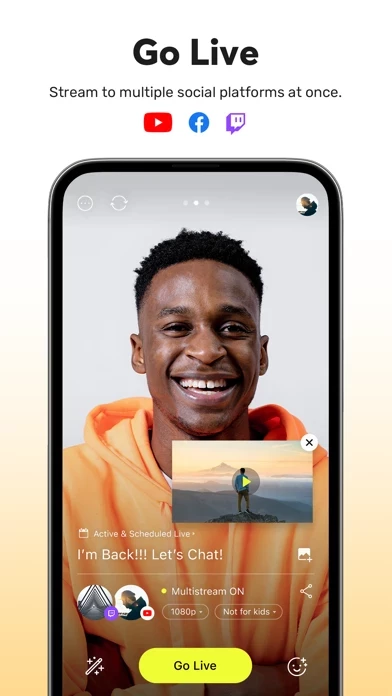
Edit your live stream's title or information during a broadcast, and share your live URL in real time.

Choose LIVE, VIDEO, or PHOTO mode and to start a spontaneous live broadcast or film a unique recorded video.

  Contact Support
Developer:
NAVER Corp.