Week Plan Calendar Reviews
Published by Michael Hoereth on 2026-03-23🏷️ About: A clearly designed calendar which is based on the classic weekly overview. No login required because the app works on the calendar/reminder data of the operating system.

🏷️ About: A clearly designed calendar which is based on the classic weekly overview. No login required because the app works on the calendar/reminder data of the operating system.
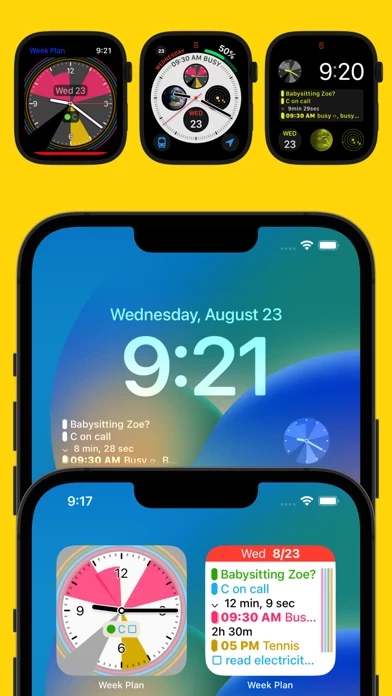
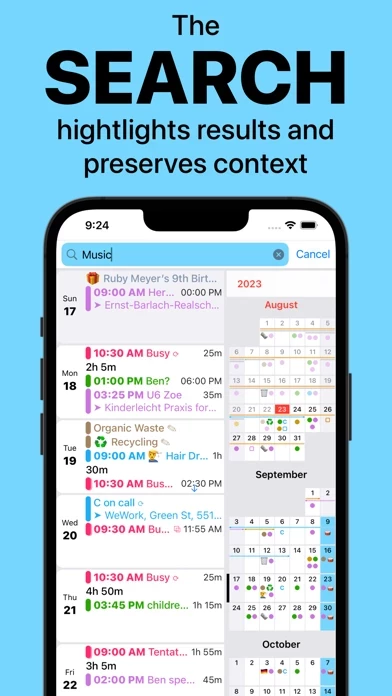
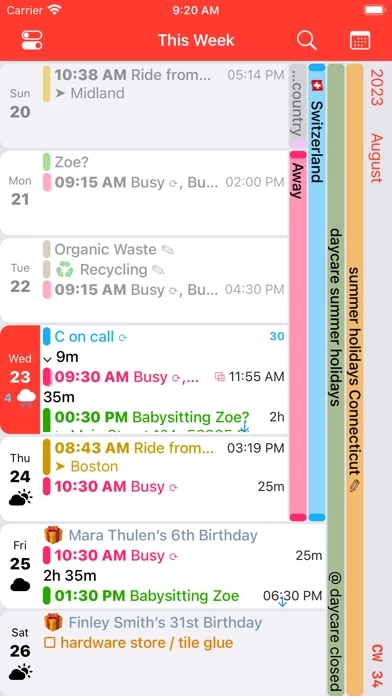
I really like the layout of WeekPlanCalendar and I want to use it, but it is getting crushed under the weight of my calendars. I'm a bit of a power user and it seems to be fetching the data more than it needs to, every time I change the view I'm in?
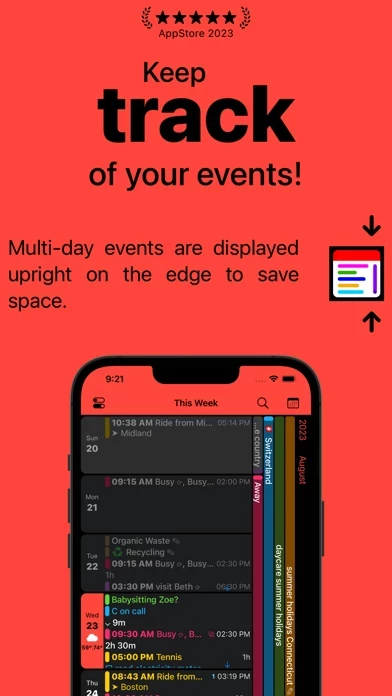
WeekPlanCalendar is spot on. It offers everything I expect from a calendar app but comes with a great design. It is very clean and allows an overview of your whole week with many events.
Thanks for putting out this free app!! 🙏
Excellent app which just works, and brings a handy and information dense way of viewing my calendar events. I love the week view on my phone, the time-line color coding, and on my watch I love being able to see all my upcoming events (and count down to!) at a glance. The developer even made it possible to set the font size independent on the watch and my phone. All this an WeekPlanCalendar is under 10 Mb. Unheard of in this day and age of bloated apps.
Week Plan Calendar is very safe to use.
JustUseApp Safety Score for Week Plan Calendar is 63.1/100.
This assessment is based on our NLP analysis of 33 user reviews.
Combined with the app store average rating of 4.6/5.
Week Plan Calendar looks authentic and legitimate.
Our NLP models processed user feedback to estimate legitimacy. JustUseApp Legitimacy Score for Week Plan Calendar is 64.8/100 .
This conclusion is based on analysis of 33 user reviews.
Week Plan Calendar collected the following data from you:
**Pricing data is based on average subscription prices reported by Justuseapp.com users..
| Pricing Plans | Amount (USD) |
|---|---|
| Weather Forecast for 1 Year | $2.99 |
- Multi-day events are shown upright on the right hand side, contributing to extraordinary high clarity.
- The "Clockface" widget visualizes the events of the next 10 hours on an analogue dial.
- Works with both calendar events and (checkable) reminders.
No login required because the app works on the calendar/reminder data of the operating system.
- Alerts scheduling conflicts during creation of new events.