BrightFun Reviews

BrightFun Reviews

Published by on 2021-10-26

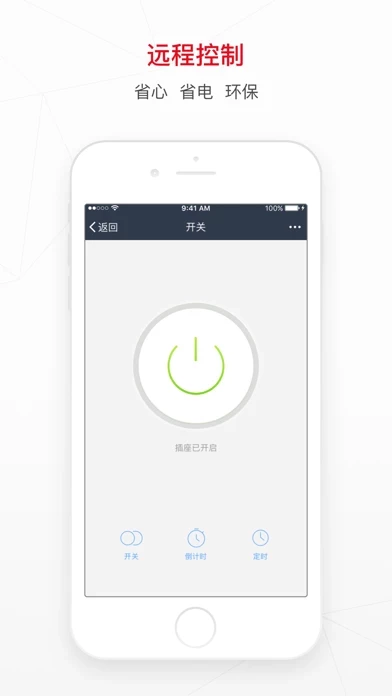
🏷️ About: BRIGHTFUN is the APP of FrankEver Smart, to build your smart life on cloud with AI 1, Use BrightFun to control your smart devices, like switch, socket, light, air conditioner, air purifier etc. 2, BrightFun can control many devices in one APP, easy to access and intelligent interaction.


Is BrightFun Safe to Use?

We Investigate the app owner's website (), verify their legitimacy, and uncover hidden scams and complaints.


Overall Customer Experience 😎


🤬 Negative experience
51.0%

😎 Positive experience
33.9%

🫥 Neutral
15.1%

~ from Justuseapp.com NLP analysis of 853 combined software reviews.

Is BrightFun Safe?
BrightFun appears generally safe, but use with caution.
39.9/100

  Safety Analysis »»

Is BrightFun Legit?
BrightFun appears legitimate, though exercise caution.
57.7/100


Summary of Customer Reviews (Takeaways): 💎

- Works well

- Easy set up

- Can create schedules to turn things on and off from phone

- No problems so far


Read 20 Customer Service Reviews 😠💢

4.7 out of 5
Constantly drops connection and times out when re-adding

I am using one Piper & Olive Smart Bulb with BrightFun. It is always disconnecting from the bulb (not an issue with my network) and when I try to re add the bulb to the network/app it gets to 100% and says “Connection Times Out.” Putting the bulb in pairing mode works (it flashes when looking for BrightFun /network connection) and goes solid when BrightFun gets to 9%. Then errors out at 100%. I simply can’t use the bulb as a smart bulb anymore. About to try a different app. 😒

Not user friendly

I am very disappointed . I am a somewhat savy tech person however, getting these lights linked to my WiFi has proven very difficult and I do not recommend them .

Doesn’t work

Can’t get it to connect to my wifi. Even more frustrating it makes me type it all in. If I jump to another app to copy my password it erases my network. When I go to connect it takes for ever, my screen locks and when I open it BrightFun has closed

awful

app is glitchy, cannot get anything to connect or any devices to even show up. once they do and I try to connect “connection timed out” pops up. waste of time and money

Can not connect to xfinity router

Could not connect Maxonar LED Rope Lights to my home network. Tried splitting router bands with separate passwords, but no joy. Don’t waste your time. Get a different device that does not use software dependent on single-band technology. Or one that does not use BrightFun.

The new update

I do have wifi smart plug and after the update I had to creat an account. I can’t find my plug in the list. So the only way to turn the switch on is by myself not using BrightFun . 😠
I hope to find a solution asap

Not reliable!!

Great product WHEN it works. I’ve put in many complaints about the inconsistency and it hasn’t been fixed. It stays offline, so you can’t turn on your lights ☹️😣

Schedule function stopped working

The schedule function for my smart plug has stopped working properly. They have actually disappeared (can’t be seen in BrightFun for a device), but they still continue to run at last settings. However, can’t delete or change schedules as a result. Submitted multiple problem reports via BrightFun with no response. Have tried deleting and reinstalling app, but this has not fixed the problem.

Bluetooth problems

Will not stay connected. After the third time of losing connection light bulb failed and would not work. Bulb lasted about 6 months.

Ok

It works Ok. It can be improved though. I.e., once a preset function like Good Morning is deleted, it cannot be added again—at least you can’t add the original sunrise icon again.

Excellent

I have (2) two plug ins with USB and they work very well. I use them for our motor home and my jeep trickle chargers so they are not on all the time. Both set for 12 hours twice a week and they works like a charm. Defiantly going to get more.

Amazing

We got a pack of 2 but only 1 works

Fixit

Very simple, easy connect; make life acceptable.

Does the job!

BrightFun works perfectly!

Web api

Do you have web api to control the devices?

Perfect

Works great, never had an issue at all Very easy setup. Flawless app.

Tony T

Just got one device working, really easy, going to buy more asap

Excellent App

Easy to use and have been using it for a year now with zero problems! Love it!

App works great

App works great. Have multiple plugs around the home. I can create schedules to turn thing a off and on from my phone. Pretty cool app.

Works Great!!!, Easy set up

Ben using it for 2 weeks now and couldn’t be more happier and satisfied . Easy set up and works well . No problem so far.


Is BrightFun Safe? 🙏

BrightFun appears generally safe, but use with caution. JustUseApp Safety Score for BrightFun is 39.9/100.
This assessment is based on our NLP analysis of 853 user reviews. Combined with the app store average rating of 4.7/5.

Safety Analysis

77.3% of users say app is safe 👍
77.3%

20.1% of users have some concerns ⚠️
20.1%

2.6% of users say app is risky 🚨
2.6%


Is BrightFun Legit? 💯

BrightFun appears legitimate, though exercise caution. Our NLP models processed user feedback to estimate legitimacy. JustUseApp Legitimacy Score for BrightFun is 57.7/100 .
This conclusion is based on analysis of 853 user reviews.

🔏 Privacy & Data Safety

BrightFun collected the following data from you:

  • Data Linked to You:
    • Location
    • Contact Info
    • User Content
    • Identifiers
    • Usage Data
    • Diagnostics
  • Data Not Linked to You:
    • User Content
    • Diagnostics


How was your experience with BrightFun? Post a Review


Features

1, Use BrightFun to control your smart devices, like switch, socket, light, air conditioner, air purifier etc.

2, BrightFun can control many devices in one APP, easy to access and intelligent interaction.
5, Powerful Cloud server and AI ensure the easy setup, fast response, excellent experience.

3, Compatible with Amazon Alexa and Google Home, voice control is more bright and more fun.

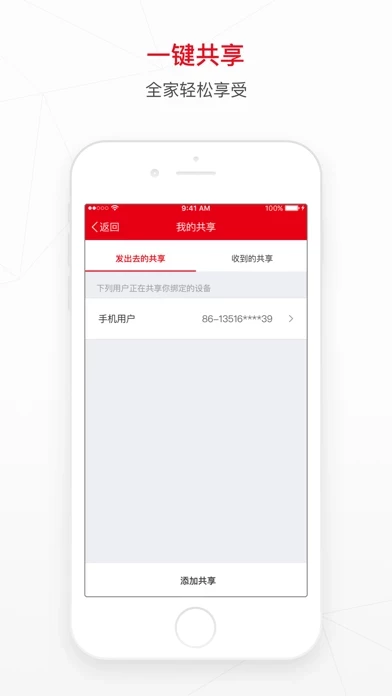
4, One click to share your smart device with your family.

  Contact Support
Developer:
Jinghua Gu

Contact e-Mail:

Privacy Policy: