Charms Blue – Student App Reviews

Charms Blue Reviews

Published by on 2016-12-04

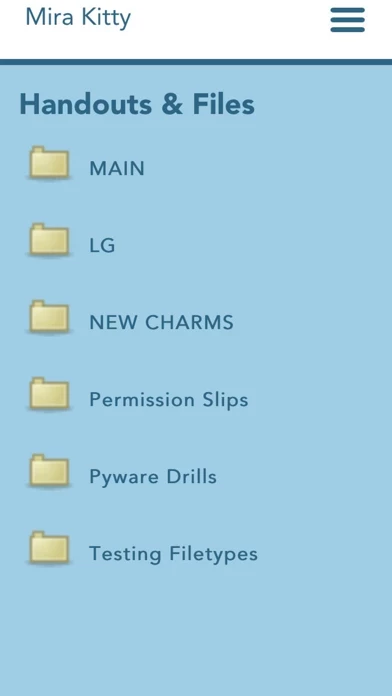
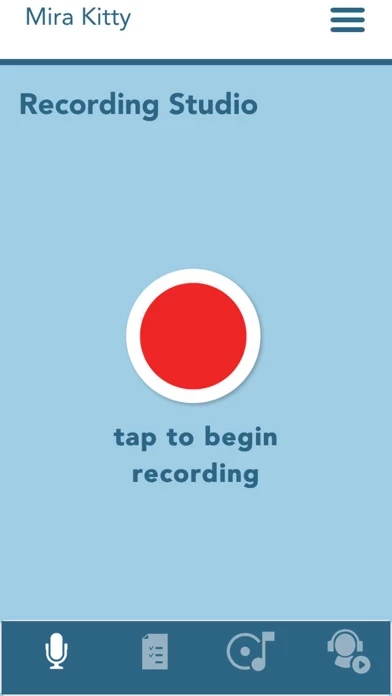
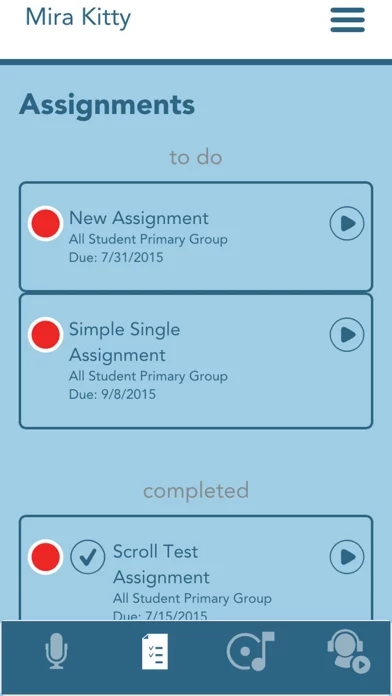
🏷️ About: The mobile companion to the Charms Office Assistant for Parents/Student/Members! Includes the recording studio to record alone, to play along and record with accompaniments, and to complete assignments as well as the calendar, financial statement, practice logs, teacher contacts, links to handouts and files, password change and a place to update personal information. Help files and a simple way to contact support are include.


Is Charms Blue Safe to Use?

We Investigate the app owner's website (), verify their legitimacy, and uncover hidden scams and complaints.


Overall Customer Experience 😎


🤬 Negative experience
61.3%

😎 Positive experience
22.4%

🫥 Neutral
16.3%

~ from Justuseapp.com NLP analysis of 315 combined software reviews.

Is Charms Blue Safe?
Charms Blue – Student App appears generally safe, but use with caution.
26.8/100

  Safety Analysis »»

Is Charms Blue Legit?
Charms Blue – Student App appears legitimate, though exercise caution.
46.3/100


Read 15 Customer Service Reviews 😠💢

2.4 out of 5
Glitchy bugs

For the past three years I’ve used CharmsBlue for band class. In past years, CharmsBlue worked perfectly. I used it a couple times over the summer, but for some odd reason it wouldn’t let me sign in. Of course, I didn’t think much of it, as it was vacation. School has started again, and it still wont let me sign in. I keep logging in, but it’s almost as if CharmsBlue would “reset” itself, and would keep me at the homepage. I’ve tried everything, from deleting to reinstalling. CharmsBlue works fine on all other devices of mine, it is just very buggy on my iPhone (my phone is fairly new). I’m now forced to try and balance a bulky iPad on a music stand with my music binder, and phone (as a tuner). Would not recommend. Cons outweigh the pros.

Works like a Charm (not)

I will begin by stating that my band director uses Charms as a means of hearing the individuals in the band before a contest. However, CharmsBlue is horribly inconsistent. We have had six recordings due the past two weeks, and during my attempts at recording, I have had a “failed to record” 20+ times. This is on an iPhone 8+, on iOS 12 and 12.1 (problem occurred on both) which are the latest iOS releases at the time of writing. Along with this, CharmsBlue takes forever to start up, and in some cases I have experienced crashes altogether. 1 star.

TERRIBLE TERRIBLE APP

I use VoiceOver, a screen reader for iOS devices, on my iPad and iPhone because I have no usable vision. None, none, of CharmsBlue 's controls respond when I activate them using VoiceOver, also, there are so many images that are superfluous and just useless. My mom says CharmsBlue is crappy herself; she says the calendar's scrolling buttons don't do their job well, and CharmsBlue is not user friendly. CharmsBlue needs to have an overhaul, bigtime, so that visually impaired and blind people could actually use it. I hope this isn't too much to ask

Needs major updates

I HATE CharmsBlue, but it is used by our school band program. It needs to have the ability to service multiple students within one account without having to log completely out log back into each students account. Very frustrating app that is “required” for communication.

Recording is buggy

The system as a whole works pretty well, but when I record things for an assignment it won’t always work. I will press the record button for the assignment, then the one in the middle after reading the description under it, then it does the countdown, and I do my assignment. But, sometimes it won’t even record any audio. This will make me have to start over. Fix this please.

Slow

CharmsBlue is really slow and lowkey kinda retarded. Whenever I try to scroll through list on my iPhone it takes me to another part of CharmsBlue I don’t want I be at. For example, I’m trying to see how many people are volunteering for an event and I accidentally tap a vacant spot it takes me sign ups. Or when I’m putting my information in it will take me to my recordings and delete my unsaved progress.

I’m just trying to do homework

On our Band we use CharmsBlue for playing assignments. My problem is CharmsBlue doesn’t remember my recordings unless I submit the assignment, and it doesn’t keep my phone awake like a video app would, and doesn’t record while the phone is asleep like a music app. This means that if I’m in low power mode and recording an assignment my phone will go to sleep and I’ll lose a potentially good session.

Limited...

CharmsBlue doesn’t have all the features of the website, and it’s like they just crammed some of the features into 1 tiny app. It works when you’re recording, I just wish CharmsBlue had everything that the website has.

Suddenly, won't allow log in

Was working fine, and suddenly won't allow me to log in on my iphone. Son can sign in on his Samsung though. My log in info was saved and no issues just a week ago, suddenly, log in info is no longer saved, so I manually input. Exact info son uses on his Samsung. Nothing happens. Not even "invalid" message. Nothing.

FIX THIS!

There is this glitch in your app where when you switch months and click on a date and then exit it goes back to the current month not the month you’ve selected.

Buggy

CharmsBlue is okay but it is sooo buggy!! This is from a student’s perspective. I exited out of CharmsBlue and then my recording was deleted! I have spent hours practicing and I finally got a perfect recording to get first chair. Then it was deleted. Can you please fix this bug?

Fix please

I was recording a song and after I was done I hit the play back button and it cut off the whole end of the song

These people

CharmsBlue works perfectly find for me. I have no trouble using CharmsBlue . Sure there are some small problems here and there like the recording but these people writing these reviews don't do it justice.

One problem

When I try to use this to listen to music for my class it just keeps on saying no internet

Hey Charms

I did rate this review five stars, (**Because its an amazing app**)
but that doesn’t mean I’m not going to tell you some things that are wrong with it. One, when I am recording, it doesn’t delete my work, but it sometimes cuts my submission short, making my teacher tell me that I need to hold the end note longer. Two, there needs to be just as many options as the web page version, it looks like you just crammed it all into the small app. And finally, from a students standpoint, all of the objectives and assignments that you need to do aren’t very organized. It would be nice to have an organization system that the teachers could set up so that our work is more organized.

Thank You For Reading
Thankful Student


Is Charms Blue Safe? 🙏

Charms Blue – Student App appears generally safe, but use with caution. JustUseApp Safety Score for Charms Blue is 26.8/100.
This assessment is based on our NLP analysis of 315 user reviews. Combined with the app store average rating of 2.4/5.


Is Charms Blue Legit? 💯

Charms Blue – Student App appears legitimate, though exercise caution. Our NLP models processed user feedback to estimate legitimacy. JustUseApp Legitimacy Score for Charms Blue is 46.3/100 .
This conclusion is based on analysis of 315 user reviews.


How was your experience with Charms Blue – Student App? Post a Review


Features

Includes the recording studio to record alone, to play along and record with accompaniments, and to complete assignments as well as the calendar, financial statement, practice logs, teacher contacts, links to handouts and files, password change and a place to update personal information.

Help files and a simple way to contact support are included in the app.

NOTE: If you have any technical problems with the APP, please contact our office at 972-485-1912 and we will try to help you.

We cannot reply to your comments through the iTunes store.

  Contact Support
Developer:
Dorian Business systems, LLC