Kirkland Signature Navigator Reviews
Published by GN Hearing on 2018-05-24🏷️ About: The Phone Clip+ supplied by Costco Hearing Aid Center is REQUIRED to use this app. Other required devices: Costco-supplied wireless-enabled hearing aids.

🏷️ About: The Phone Clip+ supplied by Costco Hearing Aid Center is REQUIRED to use this app. Other required devices: Costco-supplied wireless-enabled hearing aids.

We Investigate the app owner's website (Ks6userportal.com), verify their legitimacy, and uncover hidden scams and complaints.
- Easy to use
- Efficient
- Allows users to access detailed settings
I have Kirkland hearing aids and KirklandSignatureNavigator was fine until the most recent “upgrade”. Now it won’t recognize my hearing aids even though they are paired with my iPhone and the phone itself allows me to select the program and volume level. But I cannot get into the level of detail that KirklandSignatureNavigator would provide.
I accidentally deleted the bluetooth icons from my IPhone. Now my new Kirkland 10 hearing aids won’t pair with KirklandSignatureNavigator . I followed the instructions even deleted KirklandSignatureNavigator and reloaded it. What now?
KirklandSignatureNavigator is not as efficient and easy to use as it's previous one
Unable to Bluetooth connect my instruments 0n 10/24/2019 after overnight download of IPhone software update. Unable to open App!! Please fix... very annoying!!
If you buy Kirkland Hearing Aids from Costco and you have an Apple IPhone, theres no need to buy a control device. Your IPhone becomes a control device for the Kirkland Hearing Aids and it works flawlessly controlling the volume without the need for any other device. Because I almost always have my IPhone with me, I always have the means to control my hearing aids. I love it...
Kirkland Signature Navigator appears generally safe, but use with caution.
JustUseApp Safety Score for Kirkland Signature Navigator is 33.3/100.
This assessment is based on our NLP analysis of 36 user reviews.
Combined with the app store average rating of 3.6/5.
Kirkland Signature Navigator appears legitimate, though exercise caution.
Our NLP models processed user feedback to estimate legitimacy. JustUseApp Legitimacy Score for Kirkland Signature Navigator is 33.3/100 .
This conclusion is based on analysis of 36 user reviews.
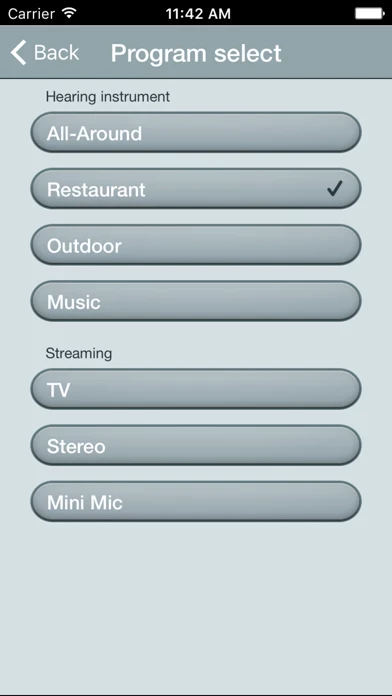
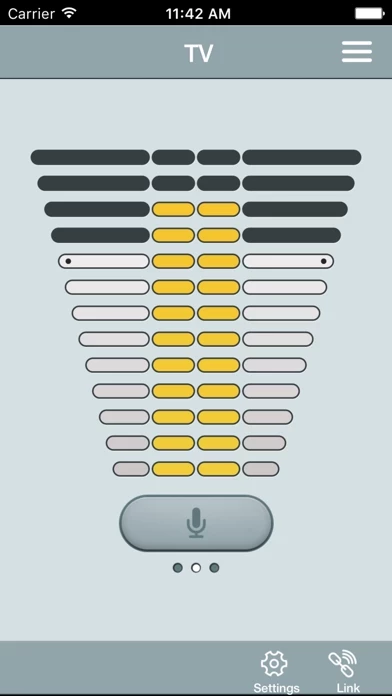
With the Phone Clip+, Navigator lets you use your mobile device for easy overview and remote control of your Costco-supplied wireless hearing aids and wireless accessories.
Adjust volume level and change programs on your wireless hearing aids.
Other required devices: Costco-supplied wireless-enabled hearing aids.
Use the dedicated link screen to overview connections between the app and your hearing aids.
The Phone Clip+ supplied by Costco Hearing Aid Center is REQUIRED to use this app.