AI Logo & Design Creator Reviews

AI Logo Design Creator Reviews

Published by on 2025-09-22

🏷️ About: Whether you’re a startup or an established business, a great logo is essential to attract customers, boost sales, and market your products or services. With AI Logo & Design Creator, you can instantly browse thousands of innovative and stylish logo designs, customize text, fonts, and colors, and create a logo that perfectly fits your brand.


Is AI Logo Design Creator Safe to Use?

We Investigate the app owner's website (Designlogocreator.com), verify their legitimacy, and uncover hidden scams and complaints.


Overall Customer Experience 😎


😎 Positive experience
57.4%

🤬 Negative experience
42.6%

🫥 Neutral
0.0%

~ from Justuseapp.com NLP analysis of 130 combined software reviews.

Is AI Logo Design Creator Safe?
AI Logo & Design Creator is very safe to use.
57.4/100

  Safety Analysis »»

Is AI Logo Design Creator Legit?
AI Logo & Design Creator looks authentic and legitimate.
57.4/100


Read 20 Customer Service Reviews 😠💢

4.4 out of 5
Basic Feature Does Not Function

Remember when you could connect some lines into a geometric shape and use the Bucket tool to fill outside? AILogoDesignCreator doesn't, it fills the entire layer (yes I was on the correct active layer and made several attempts for this). If you want to fill a shape other than rectangle/square, ellipse/circle you are out of luck. Resizing text box (only way to adjust font size) angle immediately changes and does not snap to level or give a numerical indication of angle. That is as far as I got working with AILogoDesignCreator before ditching it.

Waste of money

Not good

Basic

I could get the same results in Microsoft Paint

Not for posters or flyers

Probably good for logo design but I was trying to use for poster/ flyer making and found it difficult to use. Worst part is you can only use in landscape mode. I wanted to turn my screen to make a flyer. Who makes landscape flyers? Definitely need to include that option.

Tricky

It takes some time to learn how to use the features properly.

Simple; Lovely & Works!

Very well made app with simple learning curve. Even if you never worked with graphics, after a few practice runs, you'll be turning out very impressive Logos, business cards or headers.
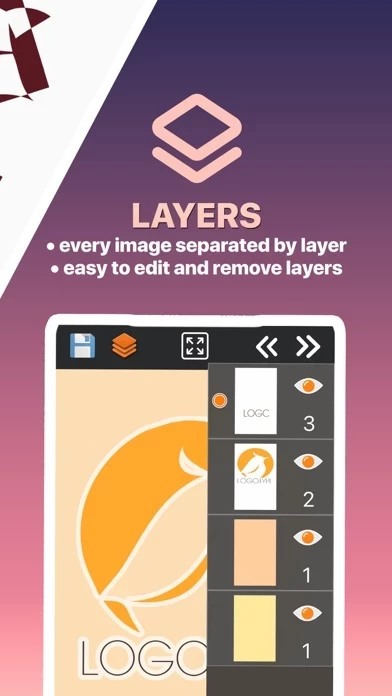
If you have worked with graphic programs, you'll be happy to see AILogoDesignCreator uses layers you can label and edit. The user can also add some basic effects like transparencies, colors, shapes and symbols. AILogoDesignCreator includes some colorful background images but you can import your own images. I used CrestMaster app to create a symbol or logo, imported it to AILogoDesignCreator, added text, colors and effects and now I have a very striking business card.

Designer

I enjoy using AILogoDesignCreator!

This is awesome!

Awesome app for posters and logos. Updates are regular and lots of improvements.

Nicely done

Biggest plus is everything is layered so it can be edited later at any time. Good looking template designs and icon templates :) easy to use.

So far, so good!

Just finished my first project with AILogoDesignCreator and things are looking good. Takes a sec to figure out the options but then you fly!

My logo app

I have being using my logo app and I can mix all kind of ideas and images. Getting a very good results

Great program

Excellent

Dope

Man this is Dope!!!!

Logo & Designs Creater

A cool app with many features... A must have app!

Great app for all graphic

Made a couple of logos very quickly. It is VERY powerfull app with great features,love it !

Take the time ...

As long as you take the time to learn the functions you'll be ok ..

Easy to Use

AILogoDesignCreator is well worth the money. I love they layers!! Makes editing simple and easy

So helpful

Makes beautiful graphics for my business photos!

This is what I call an app!

Whoever made this, thank you so much! You saved me 100 hours od designing already with this premade vectors. Please add even more modern of them!

Logo app designing

Great for designers and anyone who wants to create graphics.


Is AI Logo Design Creator Safe? 🙏

AI Logo & Design Creator is very safe to use. JustUseApp Safety Score for AI Logo Design Creator is 57.4/100.
This assessment is based on our NLP analysis of 130 user reviews. Combined with the app store average rating of 4.4/5.

Safety Analysis

74% of users say app is safe 👍
74%

15.3% of users have some concerns ⚠️
15.3%

10.7% of users say app is risky 🚨
10.7%


Is AI Logo Design Creator Legit? 💯

AI Logo & Design Creator looks authentic and legitimate. Our NLP models processed user feedback to estimate legitimacy. JustUseApp Legitimacy Score for AI Logo Design Creator is 57.4/100 .
This conclusion is based on analysis of 130 user reviews.

🔏 Privacy & Data Safety

AI Logo Design Creator collected the following data from you:

  • Data Not Collected:


How was your experience with AI Logo & Design Creator? Post a Review


Features

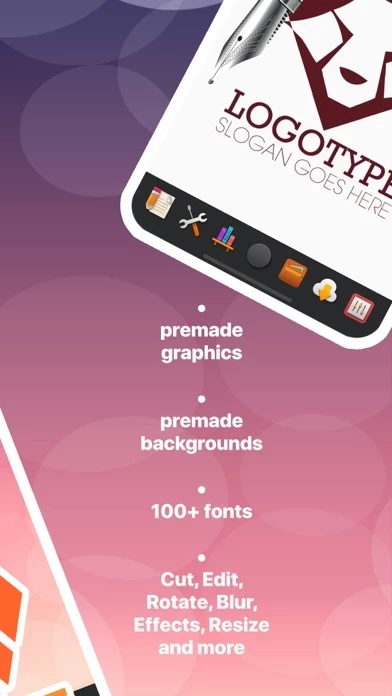
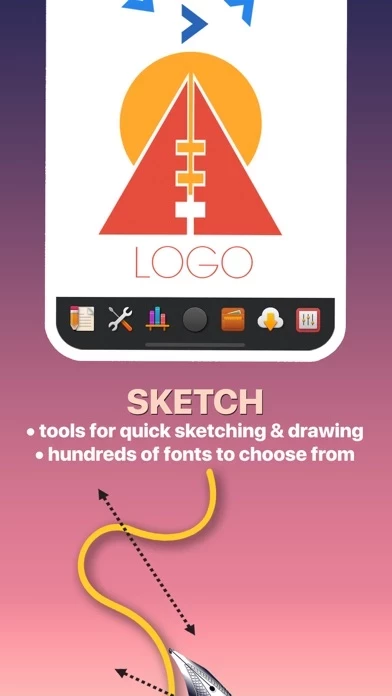
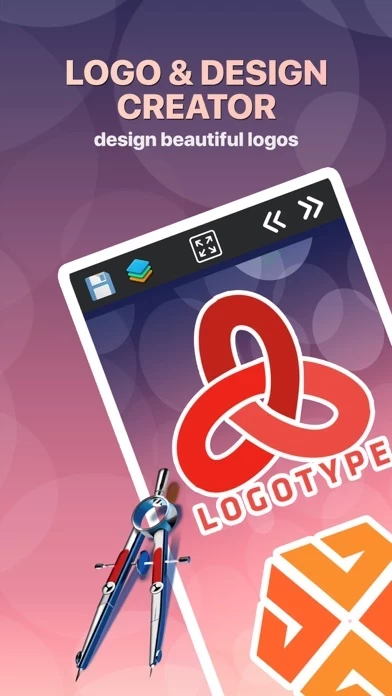
AI Logo & Design Creator helps you quickly and effortlessly create logos and designs for icons, websites, social media pages, wallpapers, business cards, product branding, blogs, presentations—anything that needs a professional touch.

With AI Logo & Design Creator, you can instantly browse thousands of innovative and stylish logo designs, customize text, fonts, and colors, and create a logo that perfectly fits your brand.

AI Logo & Design Creator helps you create dynamic, unique designs that speak volumes about your brand.

With powerful design tools and an intuitive interface, AI Logo & Design Creator makes it simple and stress-free to create a professional logo in minutes—perfect for businesses and freelancers alike.

Whether you’re a startup or an established business, a great logo is essential to attract customers, boost sales, and market your products or services.

  Contact Support
Developer:
Mario Terek


Website: