PDF Converter: Pictures To PDF Reviews

PDF Converter Reviews

Published by on 2025-04-29

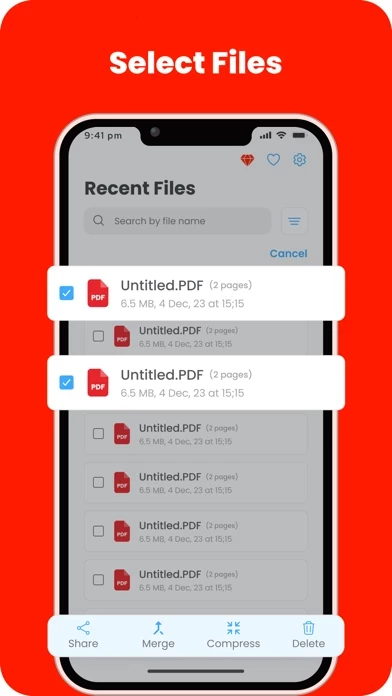
🏷️ About: Welcome to PDF Scan: Your All-in-One PDF Converter Tool Convert various file formats including photos, Word documents, and PowerPoint presentations into professional PDFs seamlessly. **KEY FEATURES** • Take photos from the camera, gallery, or iCloud and convert them into pdf.




Overall Customer Experience 😎


😎 Positive experience
62.2%

🤬 Negative experience
37.8%

🫥 Neutral
0.0%

~ from Justuseapp.com NLP analysis of 153 combined software reviews.

Is PDF Converter Safe?
PDF Converter: Pictures To PDF is very safe to use.
62.2/100

  Safety Analysis »»

Is PDF Converter Legit?
PDF Converter: Pictures To PDF looks authentic and legitimate.
62.2/100


Read 12 Customer Service Reviews 😠💢

4.4 out of 5
Look at April 17 dates

There is a reason every review as of this posting was made on April 17 and they’re all five stars. It’s because this is another one of those apps that want you to download it then pay additional fees and search for continued service or any worthwhile functionality.

👎

Even though I got the free offer But the subscription message appears again. Subscribe. A message appears. You are subscribed. Do you want to purchase the application again? Yes. The application opens and the message appears again. Subscribe.

Problem with in app purchase

There is a problem when purchasing the lifetime version, the purchase is accepted but not activated

Absolutely outstanding!

I was a few minutes away from buying a $300 printer/scanner. PDFConverter changed my mind! No need for a big bulky scanner on my desk with PDFConverter. Absolutely outstanding!

I actually love it.

I have tried scanning apps before. I love the layout of this one. Easy to use. Easy to share documents

A perfect scanner

It is a very nice app which allows you to scan immediately anywhere, anything !

Very efficient

Very efficient and easy to scan any kind of documents

Excellent!

Excellent app to organize data such as business cards etc

Great App. Has helped me land jobs!

I don’t have a scanner at home, so I use PDFConverter to upload and keep track of certain important documents. I have used it for job applications, and it works great.

Great App

I use PDFConverter to document work orders, travel receipts and all incidental paperwork related to a project & file them under one heading. Haven’t figured out how to get pics in system yet, otherwise 5 Stars.

THE BEST APP EVER

I really love PDFConverter! It is so user friendly. If you need to email any drawings or information—it is great! Thank you for allowing me to use PDFConverter!

Love love

Love love this


Is PDF Converter Safe? 🙏

PDF Converter: Pictures To PDF is very safe to use. JustUseApp Safety Score for PDF Converter is 62.2/100.
This assessment is based on our NLP analysis of 153 user reviews. Combined with the app store average rating of 4.4/5.

Safety Analysis

76.6% of users say app is safe 👍
76.6%

13.7% of users have some concerns ⚠️
13.7%

9.7% of users say app is risky 🚨
9.7%


Is PDF Converter Legit? 💯

PDF Converter: Pictures To PDF looks authentic and legitimate. Our NLP models processed user feedback to estimate legitimacy. JustUseApp Legitimacy Score for PDF Converter is 62.2/100 .
This conclusion is based on analysis of 153 user reviews.

🔏 Privacy & Data Safety

PDF Converter collected the following data from you:

  • Data Not Collected:

Payments 💸

**Pricing data is based on average subscription prices reported by Justuseapp.com users..

Pricing Plans Amount (USD)
Lifetime $59.99
Monthly $4.99
Yearly $39.99
Photo to PDF Unlimited Convert $1.99


How was your experience with PDF Converter: Pictures To PDF? Post a Review


Features

Convert various file formats including photos, Word documents, and PowerPoint presentations into professional PDFs seamlessly.

• Convert photos, Word documents, and PowerPoint presentations into PDFs effortlessly.

• Simple and intuitive interface for easy conversion of files to PDFs.

If you are facing any problem regarding our app or you have any questions feel free to contact us at [email protected] and our five-star customer support team will be happy to assist you.

• Customize PDFs with different margins, sizes, and orientations.

  Contact Support
Developer:
Thumbmagic Labs LLP

Contact e-Mail: