PDF Editor: Read, Scan & Sign Reviews

PDF Editor Reviews

Published by on 2026-05-06

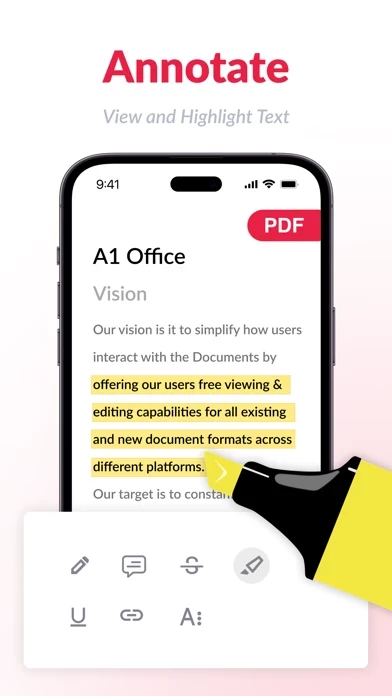
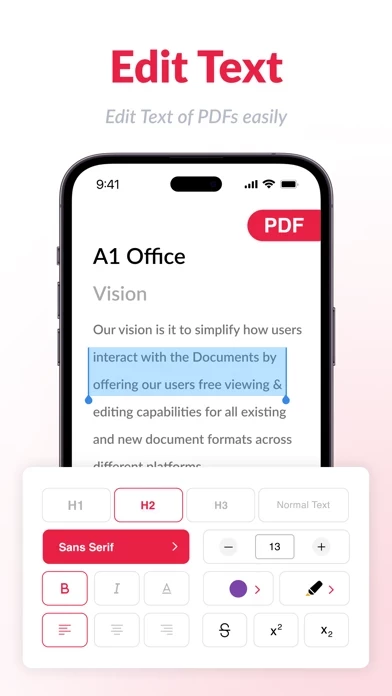
🏷️ About: Read PDF files easily, highlight and annotate PDFs for unified note-taking, fill out forms and easily create/add notes from all of your devices. Our app is more than a PDF reader – unlock unlimited possibilities with A1 PDF Premium features.


Is PDF Editor Safe to Use?

We Investigate the app owner's website (A1office.co), verify their legitimacy, and uncover hidden scams and complaints.


Overall Customer Experience 😎


🤬 Negative experience
66.9%

😎 Positive experience
33.1%

🫥 Neutral
0.0%

~ from Justuseapp.com NLP analysis of 6,510 combined software reviews.

Is PDF Editor Safe?
PDF Editor: Read, Scan & Sign appears generally safe, but use with caution.
33.1/100

  Safety Analysis »»

Is PDF Editor Legit?
PDF Editor: Read, Scan & Sign appears legitimate, though exercise caution.
33.1/100


Read 8 Customer Service Reviews 😠💢

4.7 out of 5
so bad don’t get

glitches and does the opposite of what you want it to do, don’t bother

PDF is a scam

Why charge for something halfway work

stupid cash grab

makes you sign up to use any feature of PDFEditor and pay $40

😤

Why isn’t it free 😤

Mala reseña

Esta app te roba dinero, se supone que es una semana gratis de prueba, use dos dias de prueba gratis y luego cancele la suscripción y aun asi han pasado dos meses y me ha seguido cobrando y generando problemas en app store

Cost for tools

I am a student and was trying to use PDFEditor too edit school work. The second I downloaded PDFEditor it made me pay to use the “edit” “sign” and “Annotate” feature. It is just $ 0.99 for a week and then $ 9.99 a week. It is relatively cheap for the first week but could start racking up money if you forget about the subscription. I did find this really annoying because it is making me pay for the only features I downloaded PDFEditor for. I deleted PDFEditor and looked for a free one so I cannot speak for the quality of PDFEditor .

App crashes often

Works great until you are mid edit and PDFEditor crashes, if you’ve saved what you have done so far you can resume your progress. If PDFEditor happens to crash whilst you are editing you would have to start over.

I’m having a good time

Thanks for everything


Is PDF Editor Safe? 🙏

PDF Editor: Read, Scan & Sign appears generally safe, but use with caution. JustUseApp Safety Score for PDF Editor is 33.1/100.
This assessment is based on our NLP analysis of 6,510 user reviews. Combined with the app store average rating of 4.7/5.

Safety Analysis

81% of users say app is safe 👍
81%

10.4% of users say app is risky 🚨
10.4%

8.6% of users have some concerns ⚠️
8.6%


Is PDF Editor Legit? 💯

PDF Editor: Read, Scan & Sign appears legitimate, though exercise caution. Our NLP models processed user feedback to estimate legitimacy. JustUseApp Legitimacy Score for PDF Editor is 33.1/100 .
This conclusion is based on analysis of 6,510 user reviews.

🔏 Privacy & Data Safety

PDF Editor collected the following data from you:

  • Data Used to Track You:
    • Identifiers
    • Usage Data
  • Data Not Linked to You:
    • Contact Info
    • Identifiers
    • Usage Data
    • Diagnostics

Payments 💸

**Pricing data is based on average subscription prices reported by Justuseapp.com users..

Pricing Plans Amount (USD)
Pro Weekly Plan $9.99
Premium Yearly $39.99
Premium Monthly $11.99
Premium Monthly $9.99
Premium Monthly $12.99
Pro Weekly Plan $11.99
Premium Yearly $49.99
Black Friday Premium Sale $19.99
Premium Weekly $7.99
Premium Monthly $4.99


How was your experience with PDF Editor: Read, Scan & Sign? Post a Review


Features

With an A1 PDF Premium account, you can work across all your Apple devices, effortlessly letting you complete any PDF task on the go.

Read PDF files easily, highlight and annotate PDFs for unified note-taking, fill out forms and easily create/add notes from all of your devices.

Manage your subscription in the Account Settings on the App Store after purchase.

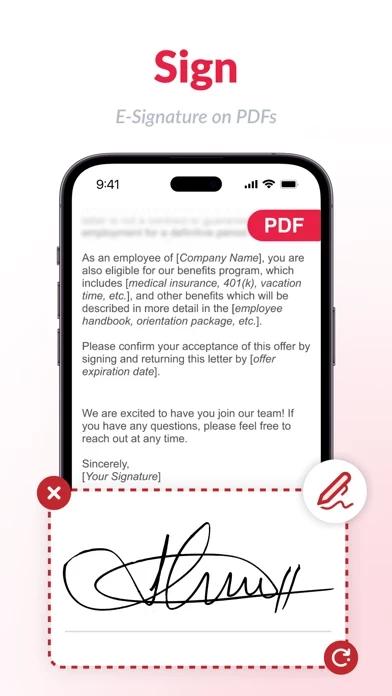
With an extensive set of features, you can edit, eSign, and manage an unlimited number of PDF documents from anywhere.

Subscription will be charged to your credit card through your App Store account.

  Contact Support
Developer:
Rhophi Analytics LLP

Contact e-Mail:

Website: