Photo to Painting Reviews
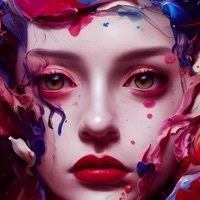
Published by Kazuya Saito on 2026-06-14🏷️ About: AI Gahaku turn your photo into a Renaissance portrait painting. This ai cam are used by over 10 million people around the world.

🏷️ About: AI Gahaku turn your photo into a Renaissance portrait painting. This ai cam are used by over 10 million people around the world.
We Investigate the app owner's website (Ai-art.tokyo), verify their legitimacy, and uncover hidden scams and complaints.
Every time I try to use PhototoPainting I see an error “ Oops!
We are having a lot of traffic at the moment.
Please try again later.”
Purchased on my iPad and then installed it on my iPhone and I’m still unable to get rid of the commercials and when I attempt to go through the buying process on my iPhone again it says I’ve already purchased it (because I have) but still I have commercials on my phone sooooo no star for that three stars for the effects
I’m ok with ads, but when the x is so far up in the corner that I can’t get it to work I’m done. I spent more time trying to get out of the ads than I did making pictures. I had to delete.
Idk man all the photos of faces got their eyes looking like they melted. Don’t use this if you want to be a pretty renaissance person, you’ll just be sad and disappointed at the results. Maybe a little creeped out too. 🖐🤡
Update 1**Received a message from the developer stating that the frequency of adds has been fixed. However, this was not the problem. The ads are so large that there’s no way to close them.
First review**I’m having the same issue as others. I can’t use PhototoPainting at all because it’s impossible to close the ads.
The full screen ads that pop up are designed so that the X opens a link.
The only way to use PhototoPainting once this happens is to close and restart PhototoPainting .
Too cumbersome to be functional.
I hope the developer uses the few cents he got from me well because I won’t be reinstalling PhototoPainting .
I don’t mind ads in apps. I understand that the developers need to make money. But the ads are so large it makes it impossible sometimes to the use PhototoPainting . In saying this sometimes you can use PhototoPainting it depends on the ads. If there was a pro version I would definitely buy that and not have to deal with the ads.
I love what PhototoPainting is capable of doing, and the prints are amazing, however, I don’t understand why, when I have paid for a yearly subscription, that the name of PhototoPainting is printed on my prints?
Also, I have successfully downloaded PhototoPainting onto my iPhone Trouble downloading it on to my iPad. Am I supposed to be able to download PhototoPainting onto two devices?
I am on trial period and hoped to subscribe.
Still get ads that are totally disruptive-if ads still appear when subscribed it is a deal breaker
Unable to pick a photo before processing by non chosen art style starts
Some AI choices will not save
Etc
When it works results outstanding
However, rarely works!!
Please make PhototoPainting usable!
PhototoPainting would be great except it’s impossible to use because you cannot close the ads.
After new update, yearly subscription have been removed! but why?! i like to subscribe PhototoPainting for year, but now i don’t know how can do it?!! price for annual subscription was very fair too.
Removed PhototoPainting because of the frequent updates for “Bug fix”
PhototoPainting does interesting renderings but is horribly slow.
Nice
This would be pretty cool for group photos so we can create a renaissance piece for Social Media. Think you can do that?
Great for make your profile picture more attractive 100% recommend
I just got PhototoPainting , so it’s too early to ask me for a review
Wish they offered a one-time payment option rather than a subscription, and that they would expand their library. I love the results though!
PhototoPainting has so many great filters to choose from to get the right fit for your photo. I do wish it would do a photo of 2 faces, but it tends to only focus on one and cut the other face off.
So I like PhototoPainting . It has many features. However, many filters are pro and there are many ads anytime you want to make a masterpiece. Also, if you don’t subscribe, you have a limitation to how many masterpieces you can make for a lifetime, so you have to delete PhototoPainting and redownload it. I usually like to get lifetime subscription, so if you add one, I will be more satisfied. Also I have not experienced any bugs, so that is a good thing. Overall, deserves 4 star. It’s not perfect, but it’s not bad.
Edit:I found out how not expensive the subscription was so I got it. And I do not regret it at all
Photo to Painting - AI Gahaku appears generally safe, but use with caution.
JustUseApp Safety Score for Photo to Painting is 31.7/100.
This assessment is based on our NLP analysis of 892 user reviews.
Combined with the app store average rating of 4.6/5.
Photo to Painting - AI Gahaku appears legitimate, though exercise caution.
Our NLP models processed user feedback to estimate legitimacy. JustUseApp Legitimacy Score for Photo to Painting is 31.7/100 .
This conclusion is based on analysis of 892 user reviews.
Photo to Painting collected the following data from you:
**Pricing data is based on average subscription prices reported by Justuseapp.com users..
| Pricing Plans | Amount (USD) |
|---|---|
| AIGahaku PRO | $4.99 |
| AI Gahaku Premium Annual | $29.99 |
| AI Gahaku Pro Monthly | $4.99 |
| AI Gahaku Pro Annual | $19.99 |
| AI Gahaku Pro Annual | $7.99 |
| AI Gahaku Pro Annual | $12.99 |
| AI Gahaku Pro Monthly | $2.99 |
| AI Gahaku Premium Annual | $39.99 |
| AI Gahaku Pro Annual | $29.99 |
Using AIGahaku’s art filters you can make your photo look as if Warhol pop art, Modigliani oil painting, Picasso, or even Rembrandt himself painted it for you! And with no picture editing or Photoshop skills needed, it’s easy to share your world.
Your AIGahaku PRO subscription will automatically renew 24-hours prior to the end of each term (month or year correspondingly) and your card will be charged through your iTunes account.
AI Gahaku turn your photo into a Renaissance portrait painting.
You can turn off auto-renewal at any time in your iTunes account settings, but refunds will not be provided for any unused period of the term.
AI Gahaku app works like a fully automated pro AI Portrait photo editor.