Sketch Tree - Art Drawing Pad Reviews

Sketch Tree Reviews

Published by on 2025-07-10

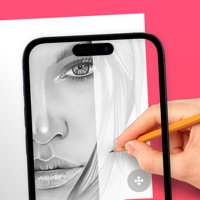
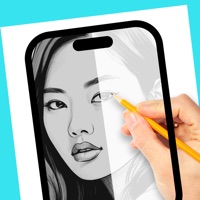
🏷️ About: Sketch Tree is a professional drawing software in mobile phone, it focuses on realistic painting, and integrates ps, image editor, picture beauty. We offer more than 20 kinds of ultra-realistic drawing tools, like pencil, Chinese brush, pen, ball pen, marker pen, watercolor pen, acrylic, colorful mud, chalk, spray, smudge, ruler, compasses, eraser, magic eraser, layers and stickers.


Is Sketch Tree Safe to Use?

We Investigate the app owner's website (Ihybeis.com), verify their legitimacy, and uncover hidden scams and complaints.


Overall Customer Experience 😎


😎 Positive experience
95.2%

🫥 Neutral
2.5%

🤬 Negative experience
2.3%

~ from Justuseapp.com NLP analysis of 2,894 combined software reviews.

Is Sketch Tree Safe?
Sketch Tree - Art Drawing Pad is very safe to use.
97.6/100

  Safety Analysis »»

Is Sketch Tree Legit?
Sketch Tree - Art Drawing Pad looks authentic and legitimate.
100.2/100


Read 20 Customer Service Reviews 😠💢

4.5 out of 5
Won’t let me choose my own colors

SketchTree is good for little sketches and doodles when I’m bored, but it will not let me pick my own colors at all so I am totally limited to the color library that doesn’t even have white. I can click the plus symbol and get to the color wheel, but there is no way for me to save it at all. I can exit the wheel but when I do, the color isn’t there and I can’t do anything to fix it. Please help in an update or something. It also just overall isn’t a great app. I’ve lost all progress on one drawing I did for no reason, with no trace of my progress before. I undid and it said there was nothing there before. Another issue I found was that the layers don’t actually separate from each other. If there is something on the canvas before I color on a layer below it, there won’t be any color if I remove what was on top of it. The only thing layers prevent is erasing. I can also only have one photo at a time which is really unfortunate for referencing and color grabs.

Something’s wrong

At first when I used SketchTree it was ok and my drawings were bad but as I got on I was better so I was sketching with the pencil tool 1 time it seemed ok but when I open the drawing the next day the sketch looked all messed up and black and white when I tried to fix the drawing it wouldn’t let me erase it and also when I was trying to draw an eye 1 time I was drawing the eyelashes and I wanted to make the eyeliner thinner I used the eraser but it didn’t erase anything except for the eye lashing and some other random parts and when I put a picture onto the canvas it would only let me have 1 DONT DOWNLOAD SketchTree THEY NEED TONS OF FIXING

I kinda like it, not as high of quality

I got SketchTree because I like to draw sometimes when I’m bored, (rarely) but anyway.. it’s hard to use with your hand so I got a stylus and it was a little bit better.. but the eraser is confusing, and no matter what I did it erased it do a lighter shade, and I couldn’t get rid of it, and there’s hearts that you can make big or small, and sometimes one will pop up and I delete my page cause it won’t erase, and it says the page is clean and I can see this big fat stupid heart on my page that I didn’t even put there, like why? It’s so confusing like on Tim too they have those nice high quality apps for drawing and I can’t find one like that. I like SketchTree, but if you upgrade and definitely fix the bugs, than it will be just as good. One more thing though, is there’s not really many choices on thick and thin and colors, needs improvement... also every time you get in da app it deletes what ya last created😱so saaaaadddd😢😢 but SketchTree is still very interesting and entertaining thks for letting me write a review;) good job on SketchTree I guess!

Color picker😤

So i do have to say I appreciate SketchTree for multiple reasons. It has multiple brushes, and lets you change the size and opacity. It also has layers, which is basically the #1 thing I look for. My issue though MOSTLY is the color chooser. It has a library of colors, but I’ve never really used them. It has a minus button that I still don’t understand how it works, but there is also a plus button that takes you to a color wheel. But it doesn’t let you save any color you find. Soo, you’re basically constricted to the 15 or so assigned colors🤬 So, you can make VERY few colored pieces. Next thing is the zoom controls, (they don’t work all that well) I find that I can’t zoom in ENOUGH, and I also can’t change the angle I’m drawing in through the zoom at all😕another thing is if I zoom out too quickly, I often leave the piece I’m working on. A little knit pick i also have to offer is please make the brushes larger, and make more opaque brushes!

Some problems

So I used to have an very old iPad and I couldn’t really get apps because they were unavailable for my iPad because it was so old. So sketch was my only option. One thing I love that it taught me how to use digital art but as I got use to it I understood more things. Later on there is this annoying glitch that when I use smear it would glitch and delete half of my drawing and don’t get me started with the stickers if I use a sticker on one page then make a new one that sticker will pop up and I try to delete it but it says that it is clear or whatever. Also what bugs me is the fill bucket it will leave a little white outline which is so annoying. Anyways I am glad that I got a new I pad and switch to ibisPaint. Also there are still so many glitches that I am to lazy to tell.

Awesome for kids

So I got this for my 5 year old daughter she loves it ❤️❤️ and when I got her a iPod touch I downloaded it and she could not stop drawing she is so in love I have 5 kids and I love SketchTree for them the are having so much fun with SketchTree and are having so much fun with it during this quarantine 👍🏽👍🏽 so I played a little with them and I got hooked so I download it for my self and it is Time consuming 😍😍😍😍😍 so they need to fix a little and add more brush types and add more colors . But I definitely recommend it for children or adults

Good app!!! Maybe a few fixes,,,

I looove SketchTree, I was having trouble finding a good sketching/drawing app, and I finally found one!!! Also it has selections, but you can’t color only in that section, also the smudge finger is really glitchy, every time I try to use it it doesn’t work and ends up erasing or something in a square shape, SketchTree would be P E R F E C T with those fixes, hope this is helpful ❤️❤️

I like the app but one problem…

There is one problem in SketchTree . If you are on 1 pixel in the fill bucket there’s a chance that everything will be colored in the one color. And if you zoom out it will show you the pages, which also saves your progress and when you try to press backspace it says None! It’s just so annoying! This happened to me twice. TWICE, while making my virtual comic and I had to restart everything from scratch. If you could, please make sure you make sure that when you zoom out, you could still press backspace and it wouldn’t say none, thank you. (Also, shout out to K Byrd, to fix the sticker glitch exit out of SketchTree . I’ve had this glitch a few times.)

BEST APP EVER

Hi so i’ve been on Sketch Tree for a long time now and it’s been half a year well actually two years sketch tree is an amazing app you can do it ever you want with what ever you have a pen or a finger it doesn’t matter you can make your own colors you can color whatever you want when I started playing Sketch Tree I was so happy and excited it was like a dream come true I could Color what ever I want you can you make perfect sketches and you can even put your own picture in sketch it and you can make whatever colors you want on the color wheel it’s a really good app my sister even plays it now well not really but sometimes sketch tree is an amazing app where are you can do lots of sketches I really hope you download Sketch Tree bye

Love the app but one thing :)

I love SketchTree! For me it's easy to use,pretty much completely free, and I don't mind the adds. But this one thing annoys me so much. I do not really think others can relate but it's the delete button. You may say what if you wanna delete the whole drawing? That is not the problem. The problem is that it is right next to the undo and redo buttons. This is a problem because you might be concentrated on your drawing/sketch and wanna press the undo or redo but you are so concentrated you accidentally press delete and all your hard work is done! So I would appreciate it if you moved the delete button, that's all I request.

-cheta
( ch-a-ta)

Could need some improvement but rlly good

Hi! So I don’t wannu send any hate but I just wanna give you some Ideas for an update on SketchTree 🙂

1# you should have a hair tour for people who aren’t good at drawing or blending hair so basically you would have a tool that would have already taken care of the hair highlites and make it look more life like 2# we should be able to see others art work and react to them by sending comment liking and sending emojis like:😍 👍 (star) ❔😎 and 😁 and many others (that I am to dumb to see😜)and u should also have a suggestions thing to help more people! Anyways I know ur not goin to see this but just in case you do pls consider some of these aanYwAYs😗 overall I think it is a great app and it is one of my top art apps a.k.a my only drawing app(to lazy to get a different one) -Sophia

Love it just one tiny complaint

So first of all I love SketchTree because it’s free and it allows you to work as if you were on procreate just not as nice obviously because procreate is $10. I’ll give it four stars because the whole app it’s self is a five because it is really fun but you got it got four stars because every time I try to color and I don’t squeeze it out enough like zoom out enough it will cause me to go back to the pen area which is kind of annoying. But everything else is absolutely amazing I’m super glad I have SketchTree. I totally 100% recommend it for a free art game.

It's kinda good

SketchTree is great for beginner artists but there are a few problems...Number 1 being that you can't zoom in for details. This is just really frustrating for me. Number 2, not being able to save the drawings that you've done! I had drawn a super good picture but it wouldn't let me save it to my device and now it's gone..! If you could please fix these problems I will give a 5 star review but until then, I'm sticking with 4 stars. :(

Good game, but needs fixing

So I downloaded this game about 2 days ago, it was really hard for me to decide what to draw, then ALL my friends were asking about their Zodiac signs weakness cause I know them all, so I remembered a song called “She Used to be Mine” so I used that song and the zodiac sings together for a picture for my friends! But when I went to look up a picture for each zodiac to know what they look like.

I memorized the pattern of the zodiac and how to draw them but when I went back to SketchTree THERE WAS A HUGE HEART SHAPE THING IN THE MIDDLE OF THE DRAWING!!!!! It took me a while to delete heart shape then I went back to drawing and I was glad it was over, but when I went to look up another Zodiac sign IT HAPPENED AGAIN!!!!! Can you please fin a way to fix this please! If it only happens to me I don’t know how to fix it. But if it happens to other people I hope that me and them have found a way to stop the problem

Sorry if this review is long and sorry to waste your time reading this but have a good day and remember TO DONLOAD SketchTree ITS AMAZING!!!!!!! Have a good day 🤗👍🏼😄

Love it but

So ima give this five stars cause I do really like it. I mean there are some cons but most of them also come with pros and there’s more pros then cons so here’s what I gotta say

C1. I can’t ZOOM in more then 100% which makes it a little harder to do details and stuff
P1. The fact that I can’t zoom in any further than 100% means that’s I would have to put more practice into marking my penmanship More on point

C2. Edith the pattern pen there just isn’t much Variety with them. Most of them are really similar and there’s not a lot to choose from and as far as I know you can’t use more than one at a time so you can’t mix it up
P2. This means that I would have too make my own background and that agin is more practice which is the best way to get better at art in general

C3. The last thing I have to say is some of the tool are too close to each other in texture
P3. Again I get more practice cause now I have to practice on making my own texture using colors, organic lines, and shapes

Incredible!

SketchTree IS SO AWESOME! I literally spent all morning playing with all the brushes and tools! Not only can you just draw or paint, but you can even use tools to shade, smudge, and make fresh shapes! You can also save your drawings which I always love! Honestly, at first, I thought SketchTree was too good to be true. I thought you would have to buy most of the tools and if not than SketchTree itself would cost money, but it doesn’t! It’s a pretty much a free pro sketch pad! I really love SketchTree and I’m sad I didn’t find it sooner!

5/5 app!

SketchTree is amazing! The best art app I have ever used! There are very many options drawing wise you have a unlimited range of color and can use a ton of layers! I love this! The only criticism I have for you is to when zooming in and zooming out not to leave little dots where your fingers where and when zooming in you can really zoom in and out everywhere so you can get that entire spectrum and finally when you zoom all the way out it doesn’t exit you out of your art, so just something for you to work on but other than that I love it!

Great!!!

I thought SketchTree was heavenly up until a little bit ago. I was drawing a portrait of an imaginary human, when the layer part glitched, if I don't find a way to fix this, I'll have to start the whole base of my person all over again. After already doing the hair, eyes, and clothing, doing the base can get SUPER difficult, that's why you do a model of the person first, that acts as your base. I'm freaking out, about that, but otherwise it's perfect, better than most art apps! I've tried several apps and this one seems to be the best. Very little adds and I enjoy. It a lot. I hope you do too!

Sketch tree is THE BEST

ITS SOOOOOOO GOOOD! ITS MY FAVORITE APP EVER. IM WRITING ALL CAPITALS BECAUSE THATS HOW IMPORTANT IT IS FOR PEOPLE TO READ THIS. GET SKETCH TREE, YOU WONT REGRET IT. Sketch tree is a really great app. I love drawing, and sketch tree makes my life sooooooo much easier. I’ve looked for apps as good as this one and none of them hit a rating as good as this one. I don’t have sketch tree pro yet, but even without it I’ve made beautiful art work. I’m hoping to get the pro version soon because if I make great drawings with the free version, what can I do with the pro? What is an important thing to know about Sketch tree is that it’s not like other drawing apps that you click a tool and it tells you to buy the pro version. Sketch tree doesn’t show you a single “get pro version” when your drawing until you go to brushes and click “sketch tree pro.” I didn’t even know there was sketch tree pro till a few month ago! GET SKETCH TREE. YOU’LL LOVE IT!

So Good!

SketchTree is one of my favorites! I use it all day everyday. I love how you can make your own creations however you want with whatever tool! And making a color you want makes a huge difference. Also it’s not a scam. You don’t have to pay anything for SketchTree. No adds,no glitches, and it’s easy to get out of a drawing! There is nothing I would change. Good job 👍


Is Sketch Tree Safe? 🙏

Sketch Tree - Art Drawing Pad is very safe to use. JustUseApp Safety Score for Sketch Tree is 97.6/100.
This assessment is based on our NLP analysis of 2,894 user reviews. Combined with the app store average rating of 4.5/5.


Is Sketch Tree Legit? 💯

Sketch Tree - Art Drawing Pad looks authentic and legitimate. Our NLP models processed user feedback to estimate legitimacy. JustUseApp Legitimacy Score for Sketch Tree is 100.2/100 .
This conclusion is based on analysis of 2,894 user reviews.


How was your experience with Sketch Tree - Art Drawing Pad? Post a Review


Features

We offer more than 20 kinds of ultra-realistic drawing tools, like pencil, Chinese brush, pen, ball pen, marker pen, watercolor pen, acrylic, colorful mud, chalk, spray, smudge, ruler, compasses, eraser, magic eraser, layers and stickers.

Additionally, you can import picture in layer, then combine with eraser, ruler, compasses and any other tools, editing and drawing something on it, and you can make an excellent work.

Sketch Tree is a professional drawing software in mobile phone, it focuses on realistic painting, and integrates ps, image editor, picture beauty.

Sketch Tree is similar to Photoshop, it can draw and import photos for editing.

  Contact Support
Developer:
guangxie chen