My Contacts Reviews
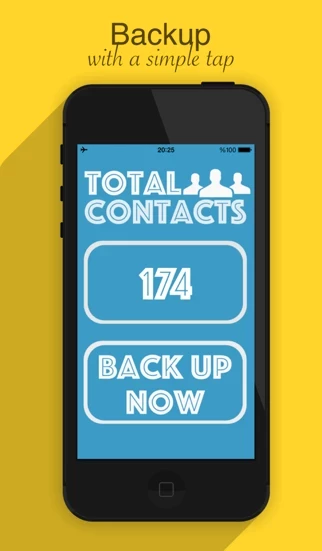
Published by World-Software on 2026-06-25🏷️ About: Contacts Backup keeps your address book safe. With one tap, it saves all of your contacts into a single standard .

🏷️ About: Contacts Backup keeps your address book safe. With one tap, it saves all of your contacts into a single standard .
- Easy to use
- No hassle in transferring contacts
- Saves time in finding and downloading paid apps
For me
I tried MyContacts and out of the 520 contacts on my phone 15 got transferred.
Did not work just crashes should have looked at reviews before downloading
Please use a different app, Don't waste your time.
Never thought it would be this easy
I dont understand why is no one promoting MyContacts....
Every where is searched it led me to downloading paid apps on my pc and wasting my time.. but MyContacts actually worked impressively quick too
Just transferred all my contacts to my Note 9, and i also have it on my email so i can access them when ever i needed them
Very gudy app i use very easi tu usi
Thank you
Use MyContacts. No hassle
My Contacts: Backup & Restore is very safe to use.
JustUseApp Safety Score for My Contacts is 84.1/100.
This assessment is based on our NLP analysis of 15 user reviews.
Combined with the app store average rating of 3.5/5.
My Contacts: Backup & Restore looks authentic and legitimate.
Our NLP models processed user feedback to estimate legitimacy. JustUseApp Legitimacy Score for My Contacts is 94.3/100 .
This conclusion is based on analysis of 15 user reviews.
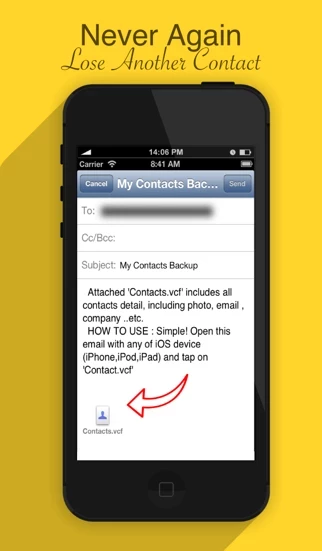
With one tap, it saves all of your contacts into a single standard .vcf (vCard) file — names, phone numbers, emails, companies, notes, and even contact photos.
• See what's inside — Open your backup file to review the saved contacts before you share it, and remove any you don't need.
Contacts Backup keeps your address book safe.
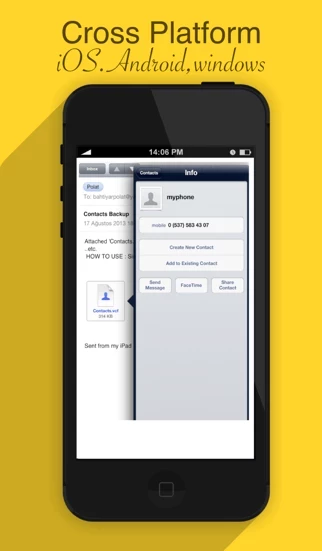
To restore later, just open the .vcf file on any device and your contacts are added back.
Your contacts are saved into a single .vcf file.