S3 Client Reviews
Published by Anders Borum ApS on 2026-06-07🏷️ About: S3 Files is your one-stop solution for managing bucket contents directly in the Files app & Finder. Now, you can open and edit with any app at your convenience.

🏷️ About: S3 Files is your one-stop solution for managing bucket contents directly in the Files app & Finder. Now, you can open and edit with any app at your convenience.

App no longer works
I got S3Client for my iPad and Mac. Everything was fine. Something weird was happening with my Mac, and I finally decide to start clean. I do a fresh clean install of MacBookPro. It's a 2017 MacBookPro with an Intel i7, 16gb of ram. It woks great. I go to reinstall S3Client, including the ShellFish app. Both can't install now. Apple, decided that my 2017 MacBookPro, including how powerful it is, is not worth updating to Montery. When I try to install S3 Files and ShellFish it states that I must update to Montery. However, Apply won't let me. So the apps are now useless. I'm done with Apple. From how they won't allow you to repair your stuff, to making it that after so many years that your equipement is useless to any new application when it's still powerfull enough to support it. To, how they treat developers and take 30%. I done with Apply! Middle finger to you Apple. I don't need Apple any more. Moving to Linux. Sick of Apple!!!!
Thank you for finally making a good S3 client for Apple devices! Instant purchase
Super simple and streamlined to access all your S3 servers directly out of the Files app.
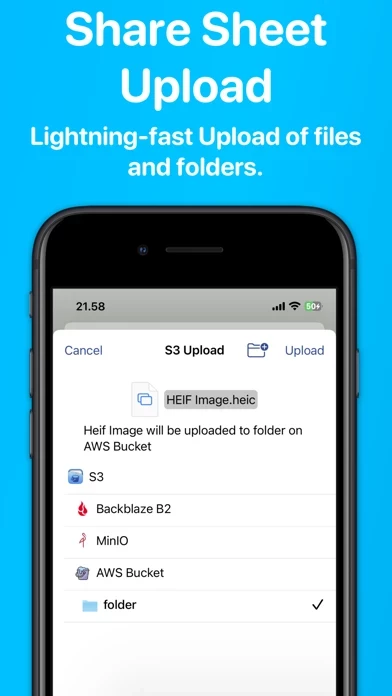
Anders has been developing amazing apps for years. This was an instant purchase for me. Now I can easily share files, large or small, on a self-hosted instance of MinIO for colleagues, friends and family to download. Quick and easy uploads with Share sheets and done.
S3Client does exactly as described. Any configed S3 buckets appear in Files and can be used just like the local filesystem. It does for S3 what Secure Shellfish does for remote servers. Really great!
Use this a to streamline my mobile workflow. First rate app, as is everything by this developer.
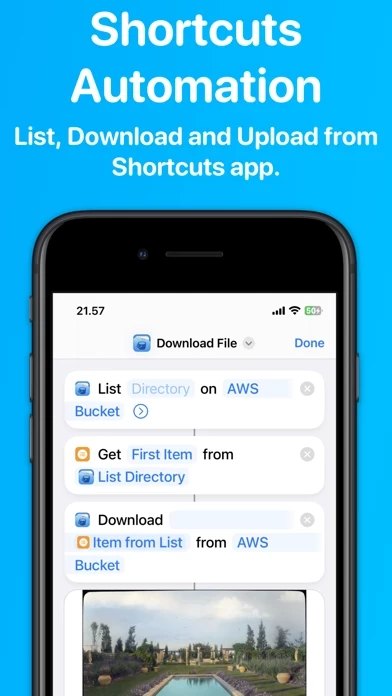
I've had multiple workflows that I needed an ability to get at S3 from Shortcuts for and S3 Files is the perfect solution. I've been using it for a while and it works perfect. I've been able to save a ton of time and effort using Shortcuts to get data to S3.
I don't write reviews but when such an app comes into my life, it needs to be done. S3Client is everything I need and more to make S3 my new cloud storage at a fraction of the cost of other options. Between deep glacier for archives and instant access in files for more immediate, I am very very pleased! The lifetime purchase and lack of tracking in the privacy label is just a cherry on top! Don't hesitate, get S3Client today!
Hard to overstate how uniquely helpful S3Client is when working in bucket storage. The developer is responsive and helpful too!
Why waste your time? If you need to access servers, then you need S3Client.
Nothing else to say, but that "It just works."
Is it possible to show the number of files in a particular directory on an S3 bucket?
Great app and easy to use.
The best s3 client for iOS!
Some requirements:
1. synchronous feature to backup my photos to my s3 bucket automatically
2. Configurable aws endpoint for no .com endpoints
I use S3Client everyday for work. I always need to upload and browse files that are in an S3 bucket. This is such a streamlined workflow for it. Thanks.
Thank you for finally making a good S3 client for Apple devices! Instant purchase
S3 Client - Files location does not appear safe based on available data.
JustUseApp Safety Score for S3 Client is 0/100.
This assessment is based on our NLP analysis of 52 user reviews.
Combined with the app store average rating of 4.8/5.
S3 Client - Files location does not appear legitimate based on our analysis.
Our NLP models processed user feedback to estimate legitimacy. JustUseApp Legitimacy Score for S3 Client is 0/100 .
This conclusion is based on analysis of 52 user reviews.
Remembering the target directory for each file type, this feature guarantees swift and efficient uploads of files & folders.
Our "Controlled Sharing" feature lets you generate shareable links for others to view and download files.
Our innovative "Smart Upload" feature allows you to use the share sheet and services menu for efficient uploads.
Powerful Automation comes integrated with our app, allowing you to work with the Shortcuts app for listing, downloading, and uploading files.
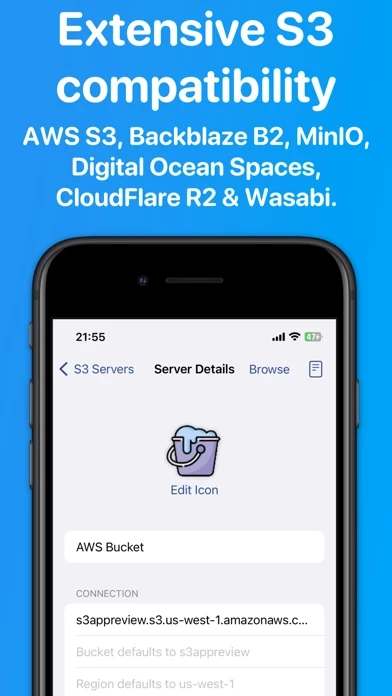
With extensive S3 compatibility, our app works effortlessly with platforms like AWS S3, BackBlaze B2, CloudFlare R2, Digital Ocean Spaces, MinIO, Wasabi, and more.