Oracle Primavera P6 EPPM Reviews
Published by Oracle America, Inc. on 2026-01-22🏷️ About: By installing this app you agree to the End User License Agreement terms at https://docs.oracle.

🏷️ About: By installing this app you agree to the End User License Agreement terms at https://docs.oracle.


We Investigate the app owner's website (Oracle.com), verify their legitimacy, and uncover hidden scams and complaints.
- Simple and useful for project management and team members
- Clean and pleasing UI
- Works fine with P6 v8.2
Unfortunately OraclePrimaveraP6EPPM does not work. I read many other reviews about an issue preventing the use of OraclePrimaveraP6EPPM . I have the same results. I’ve been in contact with Oracle. They cannot resolve the issue thus far.
Does not work at all. Literally does not work at all, do not download.
Not free
OraclePrimaveraP6EPPM has some great potential. Extremely handy; the UI is clean and pleasing, albeit too simplified. An iPad version would be great with more screen area.
In OraclePrimaveraP6EPPM 's current state, it is very limited.
It works just fine with P6 v8.2. My reservations are that there is no way to filer or sort the activities. Steps are also not shown for activities that have steps. The resource is also not shown for activities that you are the owner of, but not the resource.
The updates are lighting fast. As soon as you update something on the iPhone, your changes are instantly updated to P6 Pro after a push of the F5 key. And vise-versa.
I wish there was an iPad version.
Very Simple & usefull for PM/ team members, if configured correctly
Oracle Primavera P6 EPPM is very safe to use.
JustUseApp Safety Score for Oracle Primavera P6 EPPM is 67.9/100.
This assessment is based on our NLP analysis of 12 user reviews.
Combined with the app store average rating of 2.6/5.
Oracle Primavera P6 EPPM looks authentic and legitimate.
Our NLP models processed user feedback to estimate legitimacy. JustUseApp Legitimacy Score for Oracle Primavera P6 EPPM is 97.5/100 .
This conclusion is based on analysis of 12 user reviews.
Oracle Primavera P6 EPPM collected the following data from you:
View and update additional activity details such as codes, user defined fields, steps, notebook topics, documents, and related activities.
Customize your activity list with built-in filters, including projects, WBS, status, location, due date, primary resource, and starred status.
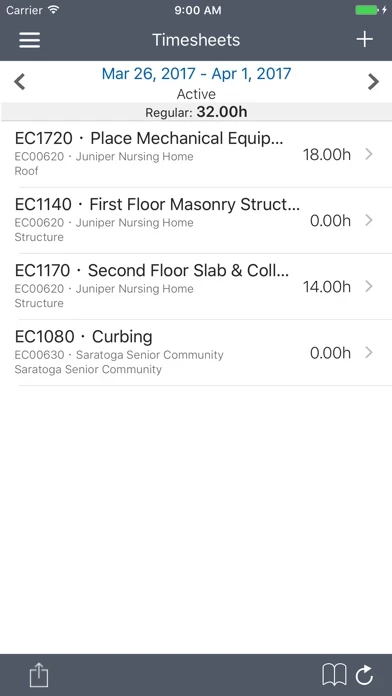
The simple interface allows for quick status updates and timesheet submittal so a project schedule remains accurate and timely.
Update activity progress and submit timesheets right from the place where the work is happening.
Update activities and submit timesheets in offline mode and synchronize changes when internet connectivity is restored.