PolyGit Git Client Reviews
Published by Matcha Software LLC on 2023-06-28🏷️ About: Update your repositories from anywhere. PolyGit is a Git client designed for simplicity and ease of use.

🏷️ About: Update your repositories from anywhere. PolyGit is a Git client designed for simplicity and ease of use.

We Investigate the app owner's website (), verify their legitimacy, and uncover hidden scams and complaints.
PolyGitGitClient requires a subscription for basic features like custom repo locations.
Push doesn’t work for Gitlab. I haven’t tried the others but definitely won’t be paying for more broken pushes…
Does not support authentication to a self-hosted GitLab instance. Does support GitLab.com
Love PolyGitGitClient , it’s much easier to use than Working Copy, but the price is ridiculous! All I need is custom folder push, and the 3 pushes limit is fine, yet to make git folder visible to other apps is a must, otherwise it’s not a tool - it’s a widget. Developer, consider one-time purchases for small features like custom app, if you must use a subscription for everything
Easy and useful. But no error checking
So far so bueno
Four stars because of the payment I did not pay, but I still got to use it
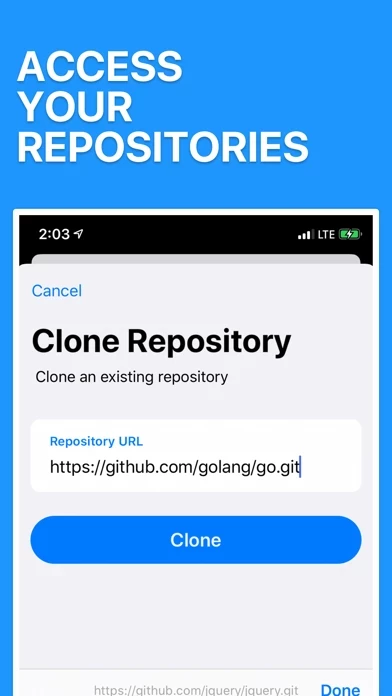
I’m glad I stumbled across PolyGitGitClient. It’s exactly what I needed: an easy and clean way to clone any git repo, edit some files, and push my changes easily from my phone. It fits my needs perfectly. Can’t wait to see where it goes from here!
PolyGitGitClient has really come a long way since it was first introduced. A really polished, professional Git client, with a more than decent file editor built in. Would thoroughly recommend.
The developer put such care into PolyGitGitClient. It shines through in every part of the interface. Just awesome.
I was looking for a way to clone a private GitLab repository, make edits, and perform commits. This new app works, is intuitive, and there’s no charge. Please keep this development going!
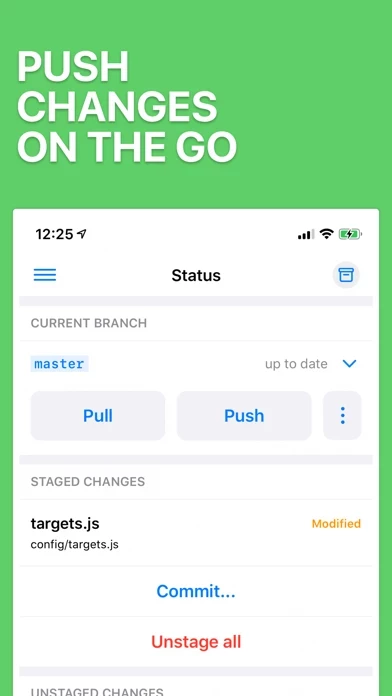
I can’t believe I just found PolyGitGitClient... but its so good! you can edit code, stage and push changes to git.
Trying out PolyGitGitClient I will give you feed back
Unlike “working copy”, which charges you $25 for a simple pulll function, it’s totally free for the “pull”.
it’s perfect. Does exactly what I need to do.
PolyGit Git Client is very safe to use.
JustUseApp Safety Score for PolyGit Git Client is 64.4/100.
This assessment is based on our NLP analysis of 108 user reviews.
Combined with the app store average rating of 4.5/5.
PolyGit Git Client looks authentic and legitimate.
Our NLP models processed user feedback to estimate legitimacy. JustUseApp Legitimacy Score for PolyGit Git Client is 64.4/100 .
This conclusion is based on analysis of 108 user reviews.
PolyGit Git Client collected the following data from you:
**Pricing data is based on average subscription prices reported by Justuseapp.com users..
| Pricing Plans | Amount (USD) |
|---|---|
| PolyGit Pro Monthly | $2.99 |
| PolyGit Pro Yearly | $11.99 |
| PolyGit Pro Lifetime | $39.99 |
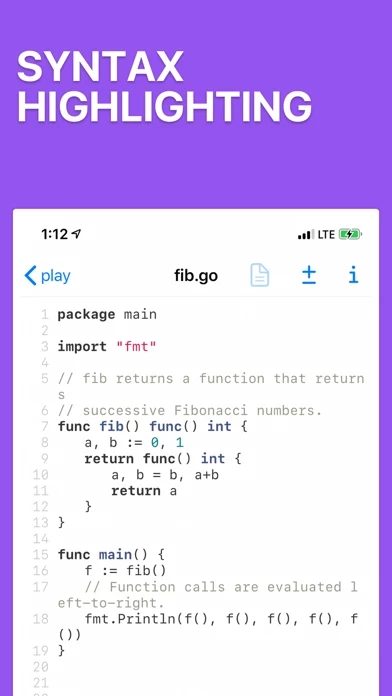
Built-in syntax highlighting for more than 75 languages and custom keyboard keys makes editing code a breeze.
Get a deeper understanding of your repository by viewing the Directed Acyclic Graph underpining it all.
Visualize the connections between your commits, branches and tags.
Make quick updates on the go and push commits in seconds.
Git's powerful commands are here with detailed previews and explanations so you always make the right changes.