Sage Accounting Reviews

Sage Accounting Reviews

Published by on 2025-08-14

🏷️ About: The Accounting app is a mobile solution for small businesses that allows users to create invoices, quotes, and expenses on the go. It is designed to reduce time spent on administrative tasks and provide instant access to important business information. The app is available on iPhone, iPad, and via the web.


Is Sage Accounting Safe to Use?

We Investigate the app owner's website (Sage.com), verify their legitimacy, and uncover hidden scams and complaints.


Overall Customer Experience 😎


😎 Positive experience
51.7%

🤬 Negative experience
47.3%

🫥 Neutral
1.0%

~ from Justuseapp.com NLP analysis of 34 combined software reviews.

Is Sage Accounting Safe?
Sage Accounting is very safe to use.
52.2/100

  Safety Analysis »»

Is Sage Accounting Legit?
Sage Accounting looks authentic and legitimate.
53.2/100


Summary of Customer Reviews (Takeaways): 💎

- The app has 3 price options which can be useful for some users.

- The app is mobile, allowing users to access their Sage One account on-the-go.


Read 4 Customer Service Reviews 😠💢

4.1 out of 5
Useless

I have Sage 50 in the office, but haven’t been able to make it work mobile, the “security “ is misleading, it doesn’t even let you log in or give any options of logging in by recovery of password, it gives random images that if you see a small line and can’t make out If it’s a car or a bus, you are screwed. I believe I might just change all to quick books, less hassle.
Loved Peachtree, don’t like Sage...

No longer works

SageAccounting no longer works after recent update. I log in, and it takes me to the website instead of SageAccounting site. I have to log in every time I want to use SageAccounting now. I can’t do anything because the giant website screen doesn’t fit well within app margins so a lot of feature are inaccessible.

Total fail

It makes zero sense that users have to have full access to use the mobile app. I want employees on the road to be able to record receipts. After setting up user and downloading app it tells me user must have full permissions. Dealbreaker

It can be better

Doesn’t completely integrate with the features of Sage One desktop version, and also gets stuck on deleted quotes. One of the features I love about this software is the 3 price options which are not available to customize in SageAccounting . Please continue to develop


Is Sage Accounting Safe? 🙏

Sage Accounting is very safe to use. JustUseApp Safety Score for Sage Accounting is 52.2/100.
This assessment is based on our NLP analysis of 34 user reviews. Combined with the app store average rating of 4.1/5.

Safety Analysis

64.7% of users say app is safe 👍
64.7%

17.6% of users have some concerns ⚠️
17.6%

17.6% of users say app is risky 🚨
17.6%


Is Sage Accounting Legit? 💯

Sage Accounting looks authentic and legitimate. Our NLP models processed user feedback to estimate legitimacy. JustUseApp Legitimacy Score for Sage Accounting is 53.2/100 .
This conclusion is based on analysis of 34 user reviews.

🔏 Privacy & Data Safety

Sage Accounting collected the following data from you:

  • Data Used to Track You:
    • Usage Data
  • Data Not Linked to You:
    • Usage Data
    • Diagnostics

Payments 💸

**Pricing data is based on average subscription prices reported by Justuseapp.com users..

Pricing Plans Amount (USD)
Sage Accounting IE $29.99
Sage Accounting Start IE $12.49
Sage Accounting Plus UK $43.99
Sage Accounting Standard UK $34.99
Sage Accounting Start UK $16.49


How was your experience with Sage Accounting? Post a Review


Features

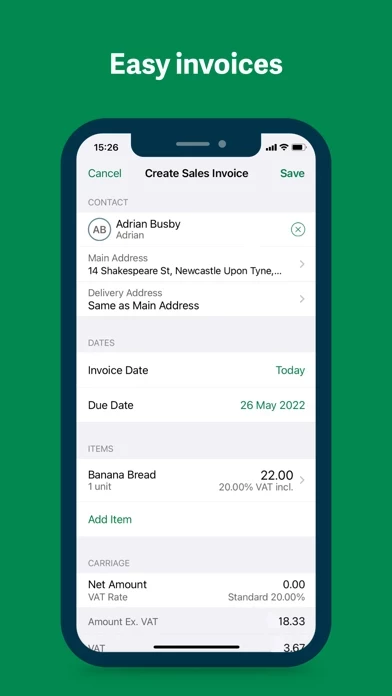
- Create and send invoices with descriptions

- Record payments against invoices

- Track and manage unpaid and overdue invoices

- Create and send quotes for review and agreement by customers

- Convert quotes to invoices and send them to customers

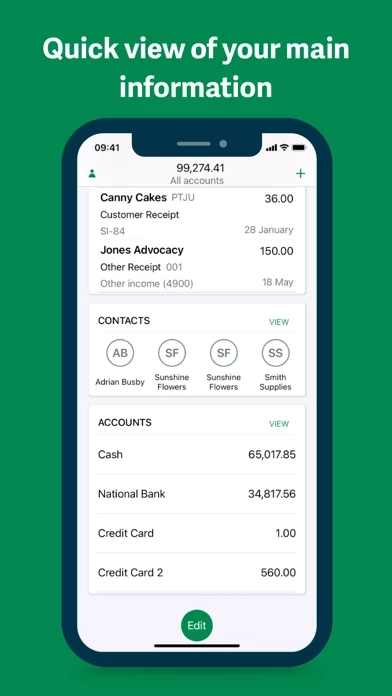
- Manage all invoices and transactions for each contact

- Create products and service records, including managing inventory levels

- Enter money in and money out transactions with 3D touch or on an iPad

- Apply categories, descriptions, and references to transactions

- Add contacts and photos of receipts or bills to transactions

- View receipts or bills in the app

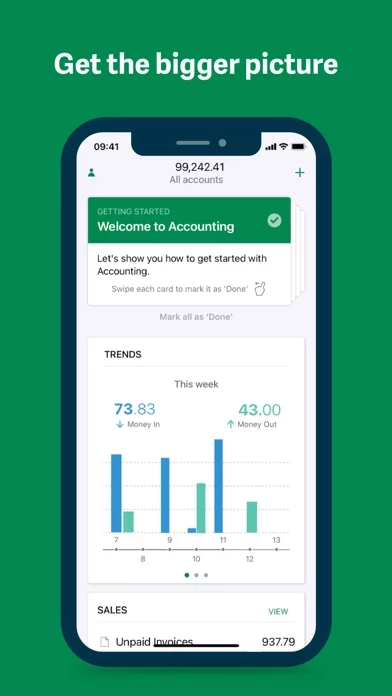
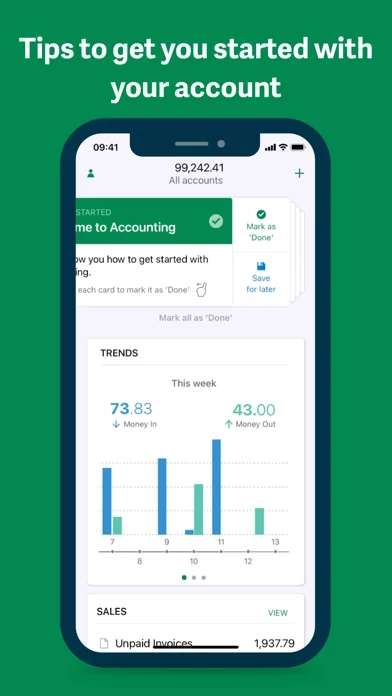
- View performance data for the week, month, or year

- Compare business performance from month to month or in previous years

- View data in the Accounting web application

- Simple list view of all transactions

- Apply filters and search for transactions

- Import contacts from iPhone or iPad

- Attach contacts to transactions

- View contact details and their transactions.

- Requires iOS 13.6 or later.

  Contact Support
Developer:
Sage Global Services Ltd


Website: