Compass Reviews
Published by Peter Bohl on 2026-04-02🏷️ About: With “Compass Pro” you can orientate yourself optimally at your location. You can see the direction of the compass and match it with the satellite image or the map on the compass.

🏷️ About: With “Compass Pro” you can orientate yourself optimally at your location. You can see the direction of the compass and match it with the satellite image or the map on the compass.
We Investigate the app owner's website (), verify their legitimacy, and uncover hidden scams and complaints.
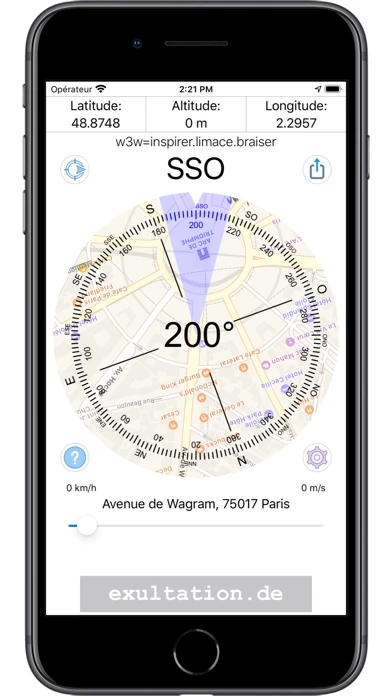
- Downloads a map of the area and shows what should be seen in a particular direction
- Easy to use for polar aligning of an equatorial mount
- Not cluttered with ads
- Free extras
Does not work in horizontal orientation; useless.
The this app shows the opposite of what it should, shows south as north and east and west is reversed as a result. App is worthless
Since I got it I can’t make it work!!!!
Good app but ONLY problem is that it uses metric system only. Can this be changed?
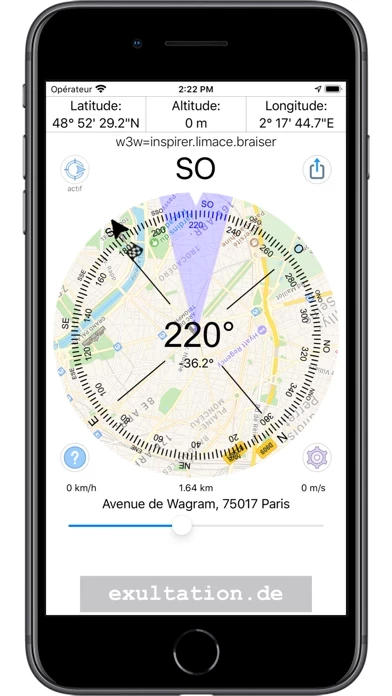
I think the thing I like most about it is that it downloads a map of the area, and shows you what you should be seeing if you look in a particular direction. I haven’t used it when I have no cell reception so I don’t know how it performs that way, but I do enjoy looking at the map overlay.
Unfortunately, Compass uses the metric system when providing the altitude.
Compass does give ones speed in km/hour and mi/hour.
But, one cannot go wrong using this easy to use this app.
Easy to use and helps when doing polar aligning of my equatorial mount.
Easy to use and not cluttered with ads.
The best with all its free extras.
Es único y preciso, comparando con otros . Mas bien facilísimo de usa.
Advertisement spyware. Free, or not, not worth it to harbor this sort of spyware. Charge for Compass but get rid of the BS ads.
Good app but ONLY problem is that it uses metric system only. Can this be changed?
Compass - Professional is very safe to use.
JustUseApp Safety Score for Compass is 72.8/100.
This assessment is based on our NLP analysis of 2,307 user reviews.
Combined with the app store average rating of 4.7/5.
Compass - Professional looks authentic and legitimate.
Our NLP models processed user feedback to estimate legitimacy. JustUseApp Legitimacy Score for Compass is 158.2/100 .
This conclusion is based on analysis of 2,307 user reviews.
Compass collected the following data from you:
**Pricing data is based on average subscription prices reported by Justuseapp.com users..
| Pricing Plans | Amount (USD) |
|---|---|
| Ad Free without limits | $10.99 |
| AdFree and Widgets for 1 month | $0.99 |
| 1 year Ad Free + Widgets | $4.99 |
| 3 months ad-free + Widgets | $1.99 |
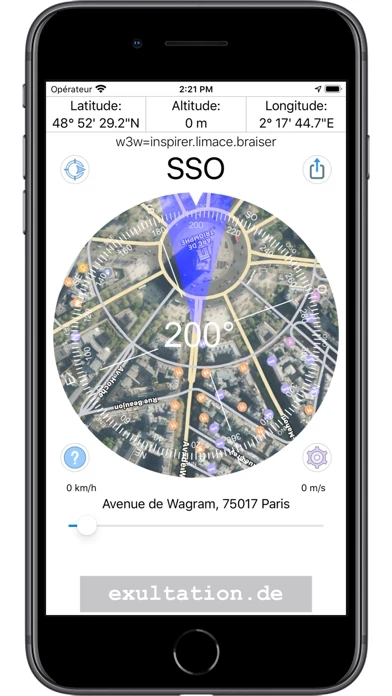
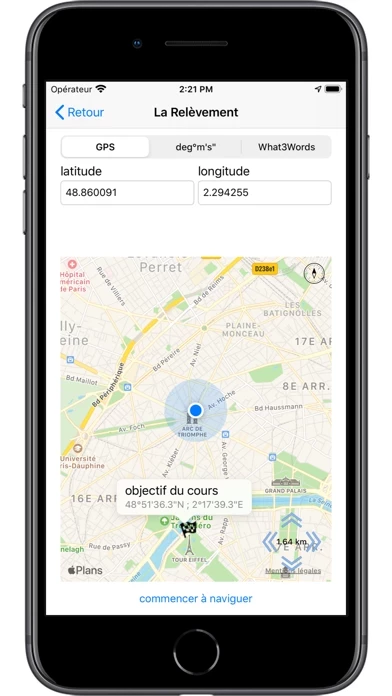
That you know exactly where you are you get the street address, the exact GPS coordinates and the current height above sea level displayed.
You can zoom with the pinch-/spread Gesture or with the slider beneath the Address so that you can orient yourself at certain prominent points.
You can see the direction of the compass and match it with the satellite image or the map on the compass.
To switch between satellite image and map view just tap the compass.
In addition, the position is displayed in What3Words (w3w) coordinates.