Symbol Keypad Reviews
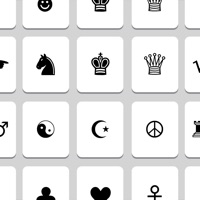
Published by 山 钟 on 2025-04-28🏷️ About: Are you interested in Unicode symbols? There are over 50,000 characters and thousands of symbols. They can express your information totally.

🏷️ About: Are you interested in Unicode symbols? There are over 50,000 characters and thousands of symbols. They can express your information totally.


We Investigate the app owner's website (Server.emojimobile.com), verify their legitimacy, and uncover hidden scams and complaints.
SymbolKeypad opens no problem. Even displays as an option under keyboard settings but even with it selected as a keyboard it doesn’t show up as a keyboard i still only have the two, the main keyboard and emoji. Despite having three keyboards selected in settings that includes the symbol keyboard. Why is it so hard to get a symbol keyboard for ios i mean Jesus the macOS has it by default :/
SymbolKeypad is surprisingly good! There are so many different symbols and categories that are offered, so it’s hard not to be satisfied. And, you can add this as a keyboard. When you open SymbolKeypad , it gives you the option to pick a category and a symbol. When you click on a symbol, you can copy it or add it to your favourites. It’s very handy for me, who always looks for ways to spice up my writing or messages. The only thing I would suggest needs improvement in SymbolKeypad is the interface. The categories at the bottom are not very efficient; it’s hard to scroll between them. It’s kind of frustrating to be honest. SymbolKeypad itself doesn’t look very attractive either. But other than that, it’s a great app, so I’m giving it four stars.
EDIT: I have changed my rating from 4 stars to 3 stars. Not only were there ads added, but the new symbols and some of the old ones don’t show up. When you click on the folder, it’s blank. I’m disappointed.
Had to delete this. It was a GREAT app but I can't read it now that it's black background with white text. Very sad. Please put option to have either and I'll come back.
There’s ads. These aren’t very intrusive except for when you want to switch between/add new keyboards, then they’re abhorrent and sometimes won’t go away when you click the Ⓧ (I had to :P), that coupled with the kinda bad UI knocks it down a star IMO. Would still recommend because you don’t have to “unlock all characters” and there’s so many of them.
SymbolKeypad lets you add all kinds of symbols to your email etc. It's not a keyboard: you copy one symbol at a time. There's a ton of unexpected glyphs to play with - Bamum Supplement, anybody? On the other hand, the menu is not too helpful, and some common symbols are missing (or where I can't find them). But hey! It's free, fun and very useful.
I love SymbolKeypad, but I’ve noticed that it doesn’t contain very common fractions like 1/2, 1/4, or 3/4. However, it has ⅚, ⅓, ⅗, ⅛!
Please add these fractions!!
Going to see how much trouble I can get into by sending these in my texts
I hope this helps me!
SymbolKeypad is awesome. i love that you give us hundreds of options to choose from. SymbolKeypad is amazing and honesly, i do not have any complaints! please keep your app just the way it is. i hope to see some more apps in the future :)
I have found this to be an invaluable resource
Could you please add More characters
✧awesome work!❦
It has lots of characters to use and have fun with them !! ... for example I use math characters
I am a mostly homebound, disabled veteran. I spent a previous life enjoying great expectations of things to come, only to find myself confined to my apartment + bed, barely able to free myself from a type of solitary confinement.
This wondrous little App allows me to create a little masterpiece when I’m typing to a friend, or posting to a site… Though some folks literally stop to ask, “What are you doing ? / Why are you doing ‘that?’”
I want to create: If I had not lost my health long ago, perhaps I’d be carving Martin Luther King Jr’s visage into the side of a mountain…
But in this purgatory-like state, I must battle to find small joys, and embrace them.
SymbolKeypad allows me to do just that.
Baba Booey; Howard Stern’s…
I just realized SymbolKeypad considers this penning of a review to be within SymbolKeypad , and so this is pretty much the *only* time I can’t hop in and out of its Alexandria-like library of symbols, to create the art I’ve been spinning wax poetically about…
C’est la vie.
L°õ°L
At least my lil’ mustachioed Mr. LoL made it to the party.
[I know the iOS software keyboard shortcuts by heart, for that friend til the end.]
§ fin §
You can get so much more symbols for you to use with any app! It helps me post pictures and videos on Instagram, I strongly recommended SymbolKeypad!
I have been using SymbolKeypad on my iPhone for quite sometime now. I love it!! The symbols I use in place of a lot of emojis to have a point get across.
Highly Recommend Install!
Honestly I enjoy having the extra symbols to make my typing fun. But it’s hard to see what I’m selecting before adding and how to add favorites
I love SymbolKeypad, and I can get pretty picky with things so this really shows how good it is! I love how you can add symbols to your favorites, and copy them! It’s so easy to use and requires no in-app purchases. Thank you so much for such an awesome app! I rate this an infinite out of five! ♾/5
This keyboard stopped working properly for a couple days, either their update or iPhone update made it so favorites and history couldn't be used, and I would reorder the symbol categories in SymbolKeypad , but switching to the symbol keyboard in chrome or Pokemon go wouldn't show the changes. Developer fixed it quickly and it's working like a champ! Thanks for the quick fix!
SymbolKeypad is amazing and the only one that actually works for me I love it!!☻
Symbol Keypad for Texting appears generally safe, but use with caution.
JustUseApp Safety Score for Symbol Keypad is 33.3/100.
This assessment is based on our NLP analysis of 1,541 user reviews.
Combined with the app store average rating of 4.7/5.
Symbol Keypad for Texting appears legitimate, though exercise caution.
Our NLP models processed user feedback to estimate legitimacy. JustUseApp Legitimacy Score for Symbol Keypad is 33.3/100 .
This conclusion is based on analysis of 1,541 user reviews.
Symbol Keypad collected the following data from you:
Are you interested in Unicode symbols? There are over 50,000 characters and thousands of symbols.
They can express your information totally.
![Remote KeyPad & NumPad [Pro] Reviews](https://is4-ssl.mzstatic.com/image/thumb/Purple115/v4/94/15/55/941555f0-f276-33ed-70d4-7b8d41046f1c/source/200x200bb.jpg)