Tracing Buddy: Drawing Grid Reviews

Tracing Buddy Reviews

Published by on 2025-07-15

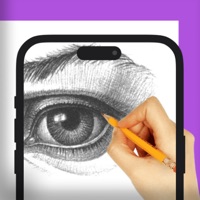
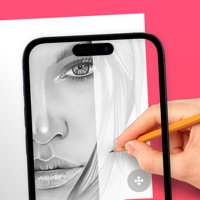
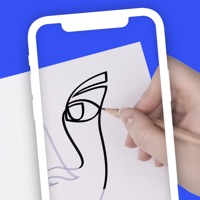
🏷️ About: Tracing Buddy is a drawing grid and anamorphic images creation tool. Built for simplicity, Tracing Buddy allows you to easily transfer pictures to a drawing surface Using the perspective distortion functionality, now you can enter the world of drawing illusions.


Is Tracing Buddy Safe to Use?

We Investigate the app owner's website (Lafappbrica.com), verify their legitimacy, and uncover hidden scams and complaints.


Overall Customer Experience 😎


😎 Positive experience
66.7%

🤬 Negative experience
33.3%

🫥 Neutral
0.0%

~ from Justuseapp.com NLP analysis of 923 combined software reviews.

Is Tracing Buddy Safe?
Tracing Buddy: Drawing Grid is very safe to use.
66.7/100

  Safety Analysis »»

Is Tracing Buddy Legit?
Tracing Buddy: Drawing Grid looks authentic and legitimate.
66.7/100


Read 20 Customer Service Reviews 😠💢

4.5 out of 5
Grid

Not clear at all how to apply grid over photo. I hit grid and basicaly 2 lines went over the photo NOT a grid made of multiple lines horizontal and vertical which is what i want

Ads cover drawing area, defeat entire purpose

With the free version, there are banner ads at the bottom of the screen but the image you are trying to trace also extends to the bottom of the screen so the ad banner literally covers it, and TracingBuddy doesn’t allow you to scroll up without zooming in/out/slightly resizing which literally defeats the entire purpose. Please add scroll feature or move image to not be covered by ad banner.

Zoom

What happen to being able to click on a square that it becomes enlarged? Can you fix that please.

Most unprofessional customer service ever experienced

This company fraudulently charged my credit card after I tried using TracingBuddy . When I contacted the company through FB after emailing them, the person was rude, unprofessional, flat out lied multiple times, was confrontational to the point that I had to ultimately block them. Then, they texted me to harass me further. DO NOT USE TracingBuddy! The creator vile.

WHY is the lock feature SO BAD

Finally!! A tracing app with a lock so my fingers don’t move the image every two seconds! NOPE. One finger is okay, but as soon as it senses two, your image slides around, you tap out of the screen, etc. how hard is it to make a true lock, where NOTHING will move the image until the lock is tapped again?? Honestly so aggravating… time to keep searching for another app or just use my laptop screen. So disappointed.

Update- looking forward to the next app update! I will try again then. Thank you so much for your response!

Lifetime still has ad pop ups

Seems like a great app. Not sure why I’m still getting pop-ups if I paid for the lifetime option. They freeze TracingBuddy and are seriously annoying. Please reconsider removing ads for those of us who paid for a premium.

Great simple app. Was looking for a tracing light box.

Great simple app. Was looking for a tracing light box.

This is perfect for what I was looking for, except I’d love a way to lock the screen in order to trace on top of the screen without the image adjust from finger tip brushes.

So far I love it.

I have not known a grid app to have all of these features before! I just suggest making it a bit more user friendly after you get the grid the way you want it. I honestly don’t know what to do next or how to get the image in gray scale.

What an awesome app for artists

I’ve read about using the grid method in how-to-draw books. But I didn’t fully understand how to use them. I love TracingBuddy and all the options that are in it. It’s easy to understand and use. Wow great app 👍🏻 thanks :)

Restore account on new iPhone

I lost my old iPhone, and just got a new one, so had to manually download all my old apps and subscriptions. I’m paid up for a year so I just am looking to sign in, but the only prompts I can find involve me buying again. Is there a way I can just sign in on my new phone that has the same number as the old?

Love It!

I just purchased the lifetime value because I was so pleased with the ‘freebie’ portion. There is a small learning curve but worth the few minutes.

Tracing Buddy App

I’ve been using the free version of TracingBuddy for several months, and I am very pleased with it. I’m an artist and sometimes making a grid on the photo I’m drawing from, to keep everything in perspective, and the options TracingBuddy has, work perfectly for that. The free version allows you to get the photo, lay a grid across it, you choose the size of the boxes in the grid. And you can change the colors of the lines of your grid, so that you can see it better. And it also allows you to mess around with Augmented Distortion, I don’t know how to use that, but I am very pleased with the other features I can use.

Good artist’s tool

As both a traditional and digital artist I have found Tracing Buddy a very helpful tool in my work. Thank you for TracingBuddy!

Best app for gridding on iOS.

This is by far the best app for gridding for iOS. I really love TracingBuddy, I was able to create many drawings using the grid.

Love this app

I never leave reviews. But I actually am so excited about TracingBuddy.

Sketch grid help

What I was looking for - not over-featured or too costly for what I wanted.

OG

Love using the grid in TracingBuddy for helping with my proportions when drawing!!!

Best app ever

TracingBuddy gave me the urge to impregnate someone’s wife

I love this

TracingBuddy is fantastic. I’ve had it on my phone for five minutes and i absolutely love it. If you’re looking for state-of-the-art, crazy modern, complex, super sophisticated, then it might not be for you. What I love about it is that it’s so well-designed — the concept is brilliant. I’ve been doing the grid technique, old-school, by hand, for four decades … And in one fell swoop TracingBuddy has enabled me to skip all that and do it directly, digitally, right on the photo on my phone. Bravo!!

Great app with so much potential!

Tracing buddy is exactly TracingBuddy I needed for when I am using Procreate to draw on my ipad. I find it a lot easier to have the image separate from the Procreate app, but I also like having a grid overlay to help with image proportions and perspective.

Another thing I like about TracingBuddy is the realistic pricing it offers, 2.99/year for a subscription or 4.99 for a lifetime unlock. I appreciate that it is not pricing me out of the pro option by being 2.99/week or something ridiculous like some other apps.

Finally, my suggestions that would improve my user experience would be:
1. The ability to rotate the image in the same way you zoom in, so you’d pinch out to Zoom in and rotate your fingers to adjust the image.
2. The ability to have a number overlay for the grid with the option to start the 0 in different positions. As you could drag the 0 along the vertical and horizontal side to adjust where the numbering starts - with it snapping to the center points.
3. The ability to set the grid size based on a specific measurement (e.g., inches, millimeters, centimeters, pixels, and points)

That’s what I have for now from spending about 30 minutes with TracingBuddy !


Is Tracing Buddy Safe? 🙏

Tracing Buddy: Drawing Grid is very safe to use. JustUseApp Safety Score for Tracing Buddy is 66.7/100.
This assessment is based on our NLP analysis of 923 user reviews. Combined with the app store average rating of 4.5/5.


Is Tracing Buddy Legit? 💯

Tracing Buddy: Drawing Grid looks authentic and legitimate. Our NLP models processed user feedback to estimate legitimacy. JustUseApp Legitimacy Score for Tracing Buddy is 66.7/100 .
This conclusion is based on analysis of 923 user reviews.


How was your experience with Tracing Buddy: Drawing Grid? Post a Review


Features

-With the B&W and values filter you change your image to black & white, adjust shadows and highlights to you liking with the included tone curve and reduce the number of values in the picture to a more manageable amount.

Tracing Buddy is a drawing grid and anamorphic images creation tool.

Using the perspective distortion functionality, now you can enter the world of drawing illusions.

  Contact Support
Developer:
La Fáppbrica