Regula Document Reader Reviews

Regula Document Reader Reviews

Published by on 2026-01-16

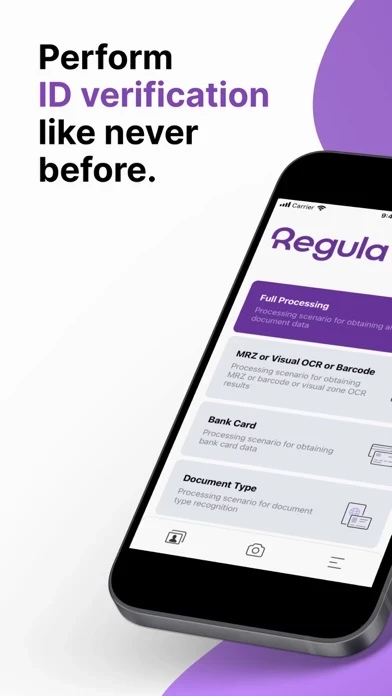
🏷️ About: Recognize document type, perform OCR, read MRZ, RFID chip and barcode data and verify all kinds of identity documents automatically on your device. Take images using the device camera or select images from the gallery.



Is Regula Document Reader Safe to Use?

We Investigate the app owner's website (Mobile.regulaforensics.com), verify their legitimacy, and uncover hidden scams and complaints.


Overall Customer Experience 😎


😎 Positive experience
67.8%

🤬 Negative experience
25.9%

🫥 Neutral
6.4%

~ from Justuseapp.com NLP analysis of 1,357 combined software reviews.

Is Regula Document Reader Safe?
Regula Document Reader is very safe to use.
72.4/100

  Safety Analysis »»

Is Regula Document Reader Legit?
Regula Document Reader looks authentic and legitimate.
79.2/100


Read 1 Customer Service Reviews 😠💢

4.7 out of 5
Keeps crushing

Keeps crashing when trying to scan barcode of a passport, I download it today, 27th of June 2023.
Please fix it.


Is Regula Document Reader Safe? 🙏

Regula Document Reader is very safe to use. JustUseApp Safety Score for Regula Document Reader is 72.4/100.
This assessment is based on our NLP analysis of 1,357 user reviews. Combined with the app store average rating of 4.7/5.


Is Regula Document Reader Legit? 💯

Regula Document Reader looks authentic and legitimate. Our NLP models processed user feedback to estimate legitimacy. JustUseApp Legitimacy Score for Regula Document Reader is 79.2/100 .
This conclusion is based on analysis of 1,357 user reviews.


How was your experience with Regula Document Reader? Post a Review


Features

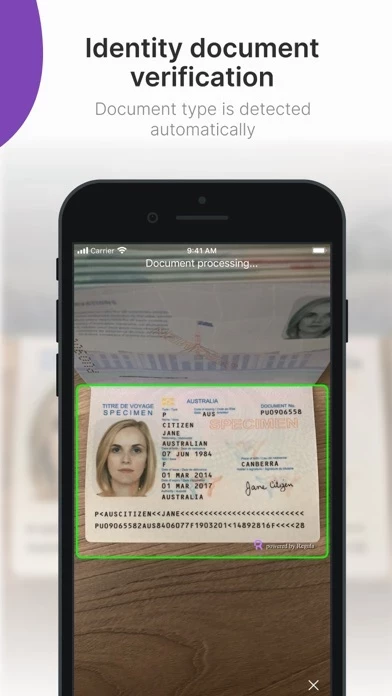
Whether it is an ICAO 9303 travel document with the MRZ, like a passport, ID card, visa, or a non-ICAO non-machine readable document, like a driver's license, vehicle registration certificate or work permit - you can read and verify its data in an instant.

Recognize document type, perform OCR, read MRZ, RFID chip and barcode data and verify all kinds of identity documents automatically on your device.

Position a document in front of the camera and make sure it fully fits in the frame.

Take images using the device camera or select images from the gallery.

The document will be detected, cropped and recognized.