Timestamp Camera Enterprise Reviews

Timestamp Camera Enterprise Reviews

Published by on 2026-03-29

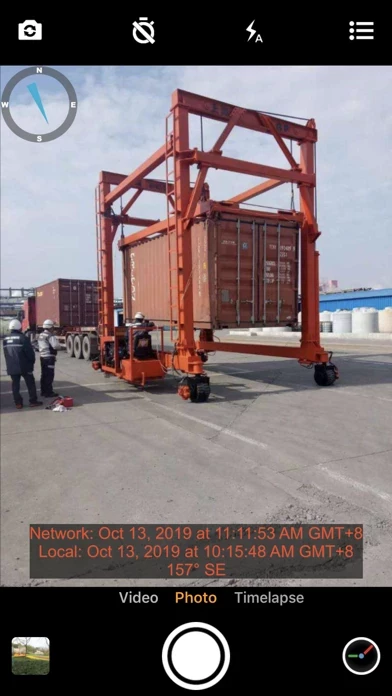
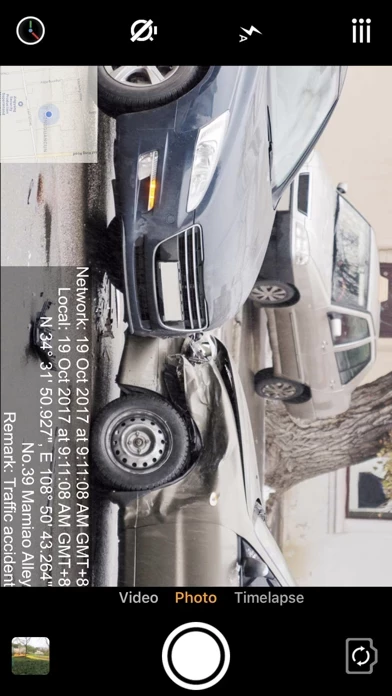
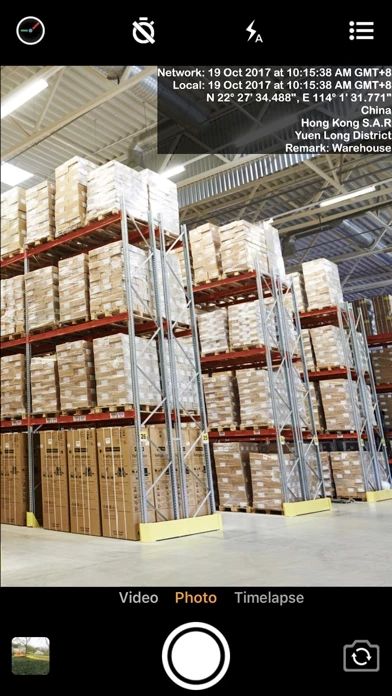
🏷️ About: This app allows users to add non-forged date, time, location, and GPS watermark on photos and videos. It gets the current time from the network, ensuring that the photo and video will still have a watermark of true time even if the user changes the time of the phone. This app can be used in various situations that require true time and location, such as work reports, traffic accident scenes, goods transfer, private detective work, evidence of borrowed items, and more.


Is Timestamp Camera Enterprise Safe to Use?

We Investigate the app owner's website (Timestampcamera.com), verify their legitimacy, and uncover hidden scams and complaints.


Overall Customer Experience 😎


😎 Positive experience
59.5%

🀬 Negative experience
40.5%

πŸ«₯ Neutral
0.0%

~ from Justuseapp.com NLP analysis of 3,199 combined software reviews.

Is Timestamp Camera Enterprise Safe?
Timestamp Camera Enterprise is very safe to use.
59.5/100

  Safety Analysis »»

Is Timestamp Camera Enterprise Legit?
Timestamp Camera Enterprise looks authentic and legitimate.
59.5/100


Summary of Customer Reviews (Takeaways): πŸ’Ž

- Shows time and location of when photo was taken, which is useful for providing proof of job completion.

- Author provides excellent support, with same-day responses and a focus on customer satisfaction.

- Author is open to discussing options for future enhancements.


Read 22 Customer Service Reviews πŸ˜ πŸ’’

4.7 out of 5
GPS location

The location services have been grossly incorrect for the last 5 or more pictures.

Hi

I want to use TimestampCameraEnterprise, but I can't recognize all the words... I'm Korean but all I can see is Japanese. I don't know Japanese. I want to see at least English. Could you fix it, please? Thank you!

Broken..Regret the update...wish I could revert to the old version!!!

Almost Gave it 5 stars because it (was) a great app-until I downloaded the update, sooo Sad, now it crashes every time n doesn’t even take pictures (it drops/loses more than 50% of my pics) Booo-Hoooo Please let me revert back to the previous version...Please (??) :( I’ve unstalled/reinstalled and Nothing. So Sad.

Takes photos without prompt

I’ve tried installing, uninstalling, and reinstalling TimestampCameraEnterprise repeatedly. As soon as TimestampCameraEnterprise is opened, it begins taking photos every second without pressing the capture photo button. Now my camera roll has 100 pictures I don’t need that were taken while entering in the input info I wanted on the photo.

Want my money back!

I bought the wrong time stamp app, can I please have a refund!

Not Accurate.

Not accurate, sometimes house number is not correct.

Photo

When you turn on the program on the iPhone X, it immediately starts photographing itself or starts recording video

Good App overall

I’ve been using Timestamp for about 2 months and was pretty much satisfied until recently. It’s been inaccurate over the past couple weeks. The address is occasionally several house numbers off which can present issues since the purpose is to capture the actual address. Hopefully, this can be corrected soon.

Worked great for a minute

Now is gives completely wrong addresses,
It HAS to be correct otherwise it’s useless to me

Quirky-

Lots of glitches. Have paid for the Pro/ Unlimited version. Still don’t have all the amenities of the Pro / Unlimited version .

Photo selection

When hitting select, all photos in library are selected.
Unable to select multiple photo to send

Timestamp Camera

Does a fine job as described. Nothing negative at this time.

Review

Very useful app

Great camera

I love the camera and the idea!! However, it often messes up my location, giving me the wrong address. I would purchase the pro version if it wasn’t for this error.

La aplicacion perfecta para un guardia de seguridad

Gracias

Camera

RαΊ₯t tiện lợi & hα»―u Γ­ch.

Great App

Love TimestampCameraEnterprise. It shows the time and location of when photo was taken. This is especially useful for people in service industry to provide proof to client of doing a job

Very useful

TimestampCameraEnterprise is awesome!

Nice features. Easy to use.

Highly recommended

Great for my needs

Purchased the Pro app. Would like separate option to change opacity and position of the map stamp.

Great camera app

Beyond TimestampCameraEnterprise itself the author gives incredible support. Usually same day response and wants to make sure customer is 100% pleased with app. Also likes to discuss options for future enhancements. Kend


Is Timestamp Camera Enterprise Safe? πŸ™

Timestamp Camera Enterprise is very safe to use. JustUseApp Safety Score for Timestamp Camera Enterprise is 59.5/100.
This assessment is based on our NLP analysis of 3,199 user reviews. Combined with the app store average rating of 4.7/5.

Safety Analysis

86.4% of users say app is safe πŸ‘
86.4%

10.3% of users have some concerns ⚠️
10.3%

3.2% of users say app is risky 🚨
3.2%


Is Timestamp Camera Enterprise Legit? πŸ’―

Timestamp Camera Enterprise looks authentic and legitimate. Our NLP models processed user feedback to estimate legitimacy. JustUseApp Legitimacy Score for Timestamp Camera Enterprise is 59.5/100 .
This conclusion is based on analysis of 3,199 user reviews.

πŸ” Privacy & Data Safety

Timestamp Camera Enterprise collected the following data from you:

  • Data Used to Track You:
    • Identifiers
    • Usage Data
    • Diagnostics
  • Data Linked to You:
    • Identifiers
    • Usage Data
  • Data Not Linked to You:
    • Diagnostics

Payments πŸ’Έ

**Pricing data is based on average subscription prices reported by Justuseapp.com users..

Pricing Plans Amount (USD)
Upgrade to pro version $9.99


ο»Ώ

How was your experience with Timestamp Camera Enterprise? Post a Review


Features

- Add current date, time, GPS, and address watermark when taking photos or videos.

- Change font, font color, font size.

- Set timestamp in 6 positions: top left, top center, top right, bottom left, bottom center, bottom right.

- Add address and GPS automatically.

- Input and display custom text on the camera.

- Change opacity of text and text background.

- Four text margin modes: no margin, one line margin, half line margin, suitable for printing.

- Display altitude and speed.

- Display map and compass on the camera.

- Import logo image to display on the camera.

- Change the position, size, margins, and transparency of the logo.

- Change video resolution (540P, 720P, 1080P, 4K) and fps (30fps, 60fps).

- Timer to take pictures (3, 5, 10 seconds with countdown).

- Power-saving mode of black screen.

- Record video without audio.

- Pause and continue recording fragments to one video.

- Toggle camera when recording.

- Support portrait and landscape.

- Support iPhone and iPad.

  Contact Support
Developer:
ηŽ‰ε½¬ ι™ˆ

Contact e-Mail:

Website: