PinTok Erfahrungen und Bewertung
Veröffentlicht von Allan Maman on 2023-01-14🏷️ Über: PinTok is an app that lets you organize the Tiktoks you view, directly from the share button in the Tiktok app. Tutorial: 1.

🏷️ Über: PinTok is an app that lets you organize the Tiktoks you view, directly from the share button in the Tiktok app. Tutorial: 1.

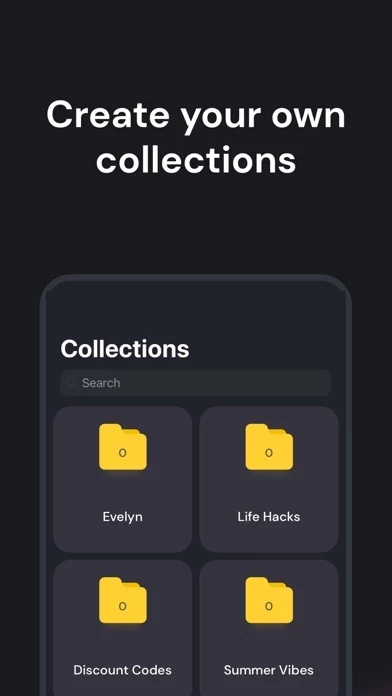

The idea of this app is amazing since it fills a gap left by TikTok itself - to organize one’s favorite Toks. But while the potential is there, as of now the app‘s design and functionality is so basic, I cannot even remove a video (link) I’ve saved or transfer it to a different folder! I can remove the whole folder, but can’t organise within that folder. It’s driving me nuts! Once you put a TikTok into diese App then that’s it. No more can be done. I really hope this app will be developed further. It has the potential to be a cool app!
Love the app and used it a lot, but now when I go back to see what I’ve saved I can’t acces the app because it hangs and crashes almost every time, wish it would properly work :(
I thought the app was great and saved a lot of videos. But now I have a ne phone and realise there’s no option to synchronise or restore my saves to have them on my new phone.
This app has such a great idea behind it. Now I can sort all my favourite TikToks into folders. One thing that is a bit annoying is, that you can‘t delete TikToks out of folders. Instead of that, you have to delete the whole folder… please update that ✰.
PinTok wirkt grundsätzlich sicher, jedoch mit Vorsicht verwenden.
JustUseApp Sicherheits-Score für PinTok: 33.3/100.
Diese Einschätzung basiert auf unserer NLP-Analyse von 11 Nutzererfahrungen.
Zusätzlich zur durchschnittlichen Store-Bewertung von 3.0/5.
PinTok wirkt seriös, dennoch Vorsicht.
Unsere NLP-Modelle schätzen die Seriosität. JustUseApp Seriositäts-Score für PinTok: 33.3/100.
Dieses Fazit beruht auf der Analyse von 11 Nutzererfahrungen.
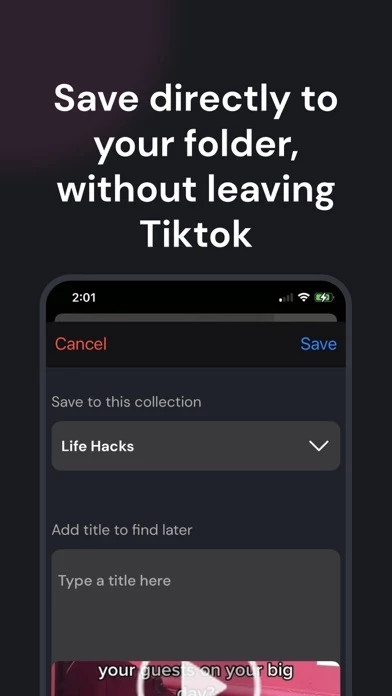
Go view a Tiktok, hit share, scroll to the right to more & select Pintok.
PinTok is an app that lets you organize the Tiktoks you view, directly from the share button in the Tiktok app.
When hitting share, select the folder you want to share to, and write whatever caption you'd like.
(If Pintok does not appear, try restarting your phone.
If this still doesn't work, wait 24 hours and it should appear by then.